
Note di rilascio
March 2026
Dicembre 2024
Luglio 2024
February 2024
Settembre 2023
May 2023
Gennaio 2023
November 2022 Ottobre 2022 Settembre 2021 Agosto 2021 May 2021 Marzo 2021 Agosto 2020 Luglio 2020 Giugno 2020 Maggio 2020 Aprile 2020
Settembre 2023
May 2023
Gennaio 2023
November 2022 Ottobre 2022 Settembre 2021 Agosto 2021 May 2021 Marzo 2021 Agosto 2020 Luglio 2020 Giugno 2020 Maggio 2020 Aprile 2020
November 09, 2022
v3.0.75New features
Conditional rendering
The new conditional rendering feature allows you to create states inside components so that you can render elements based on conditions that you establish . Define states, link them to nodes and control them via events. You can create components that include accordions, tab selectors, carousels, and other similar interactive elements .
In advanced mode (specifically, with Developer mode enabled), you can also define functions for your elements and use them in widgets.
Keep in mind that this feature is still in development and will disable HTML and CSS export. You can enable it in your Project Settings under the Experimental Features sections.
The new conditional rendering feature allows you to create states inside components so that you can render elements based on conditions that you establish . Define states, link them to nodes and control them via events. You can create components that include accordions, tab selectors, carousels, and other similar interactive elements .
In advanced mode (specifically, with Developer mode enabled), you can also define functions for your elements and use them in widgets.
Keep in mind that this feature is still in development and will disable HTML and CSS export. You can enable it in your Project Settings under the Experimental Features sections.
Elemento interattivo Navbar
La Navbar è un elemento componente intelligente che puoi usare nella sezione Interattivo della sezione Elementi predefinito. È progettato per implementazione semplice e ha funzionalità responsive e animate integrate che puoi personalizzare rapidamente come preferisci.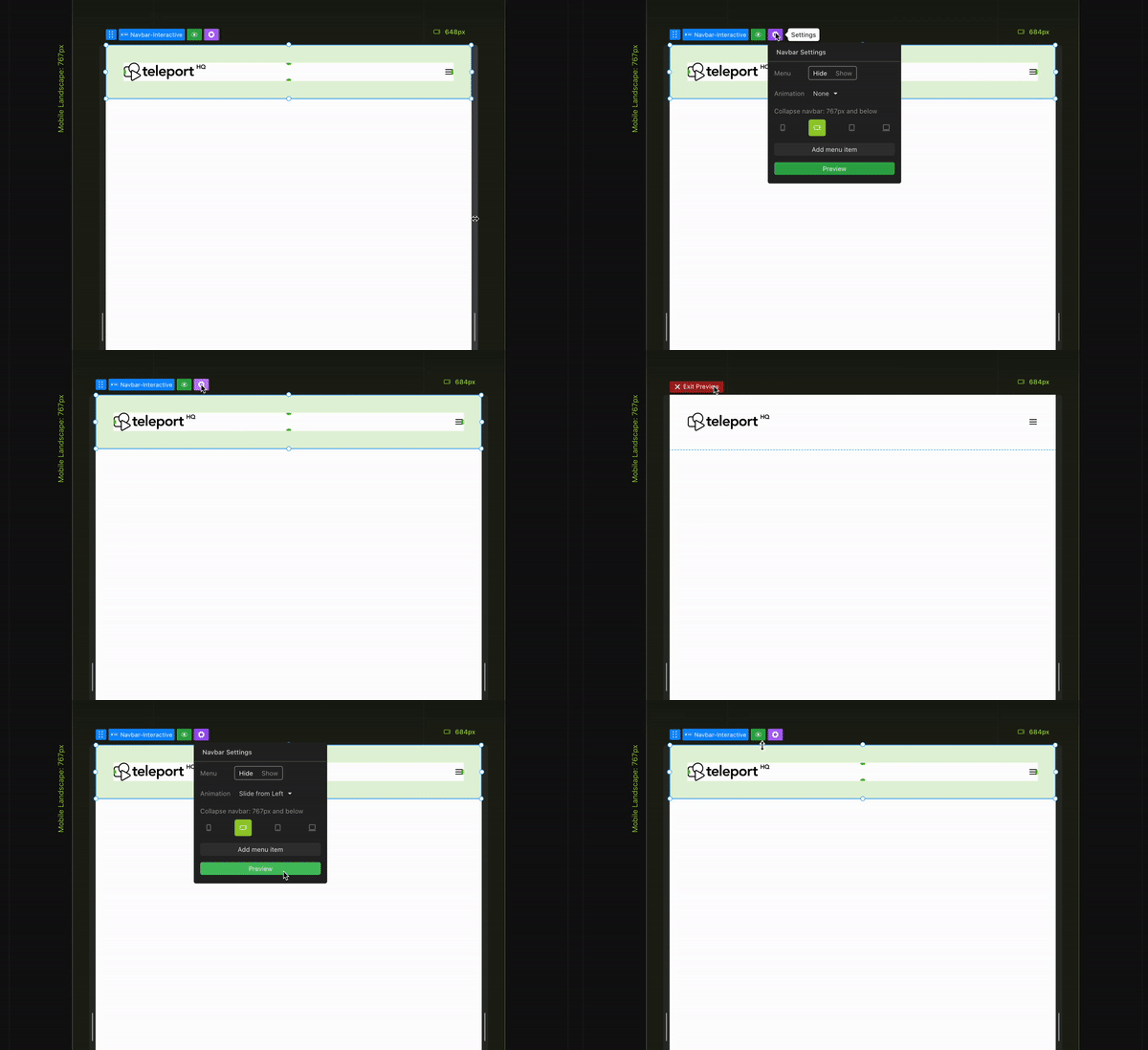
La Navbar è un elemento componente intelligente che puoi usare nella sezione Interattivo della sezione Elementi predefinito. È progettato per implementazione semplice e ha funzionalità responsive e animate integrate che puoi personalizzare rapidamente come preferisci.
Media query guidelines
The background of the canvas now has differently colored lines to show which media query is active . This improves visibility and helps you understand which query is currently in use . In previous releases, we made sure that the canvas width stays the same throughout the project, which, together with this new feature, should reduce confusion.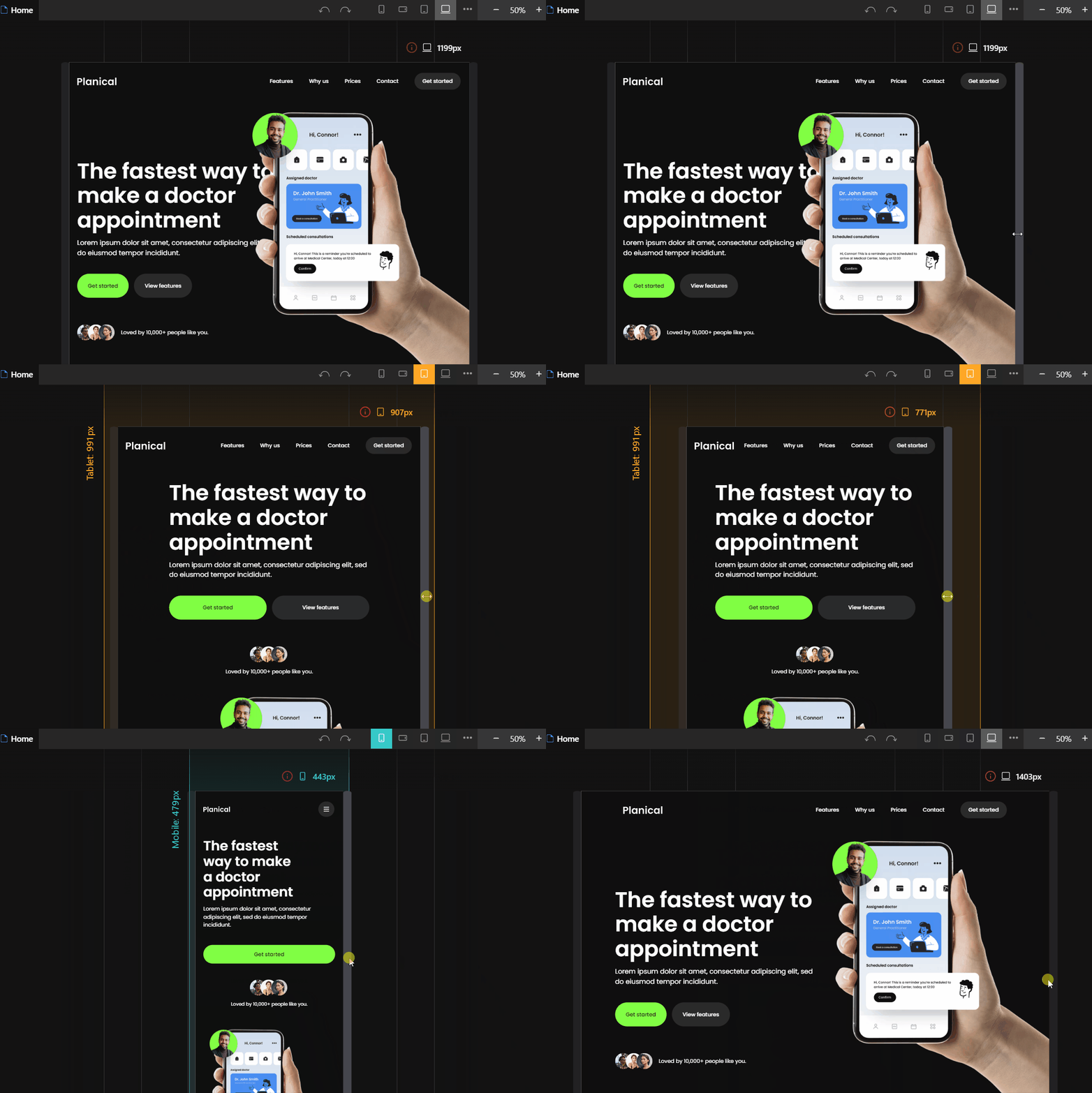
The background of the canvas now has differently colored lines to show which media query is active . This improves visibility and helps you understand which query is currently in use . In previous releases, we made sure that the canvas width stays the same throughout the project, which, together with this new feature, should reduce confusion.
Code embed
The Elements tab in the Left panel now includes a Code Embed element in the Media section . When you add this element to the canvas, it opens an edit modal where you can enter any code (HTML, JS, CSS, or anything else that the browser can run ).
This feature is still experimental and will be improved in future updates.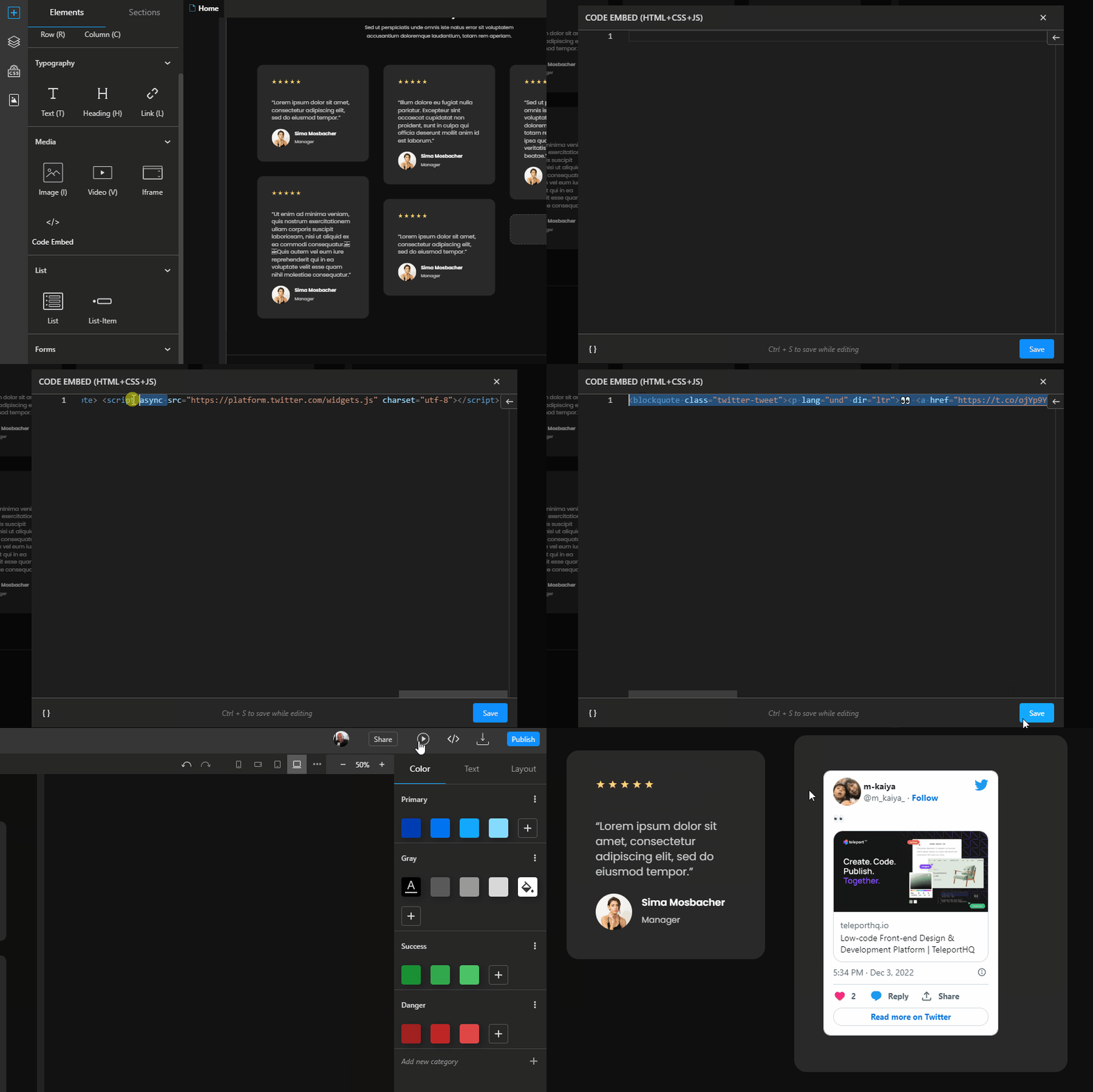
The Elements tab in the Left panel now includes a Code Embed element in the Media section . When you add this element to the canvas, it opens an edit modal where you can enter any code (HTML, JS, CSS, or anything else that the browser can run ).
This feature is still experimental and will be improved in future updates.
Lottie animations support
The Elements section in the Left panel now includes a special Lottie element that you can use to add Lottie files to your projects. This ensures that your code runs correctly when you export it to different frameworks.
To use the new Lottie element, you will need the animation JSON file URL (you can find examples on lottiefiles.com), which you can then add as a source in the Attributes panel.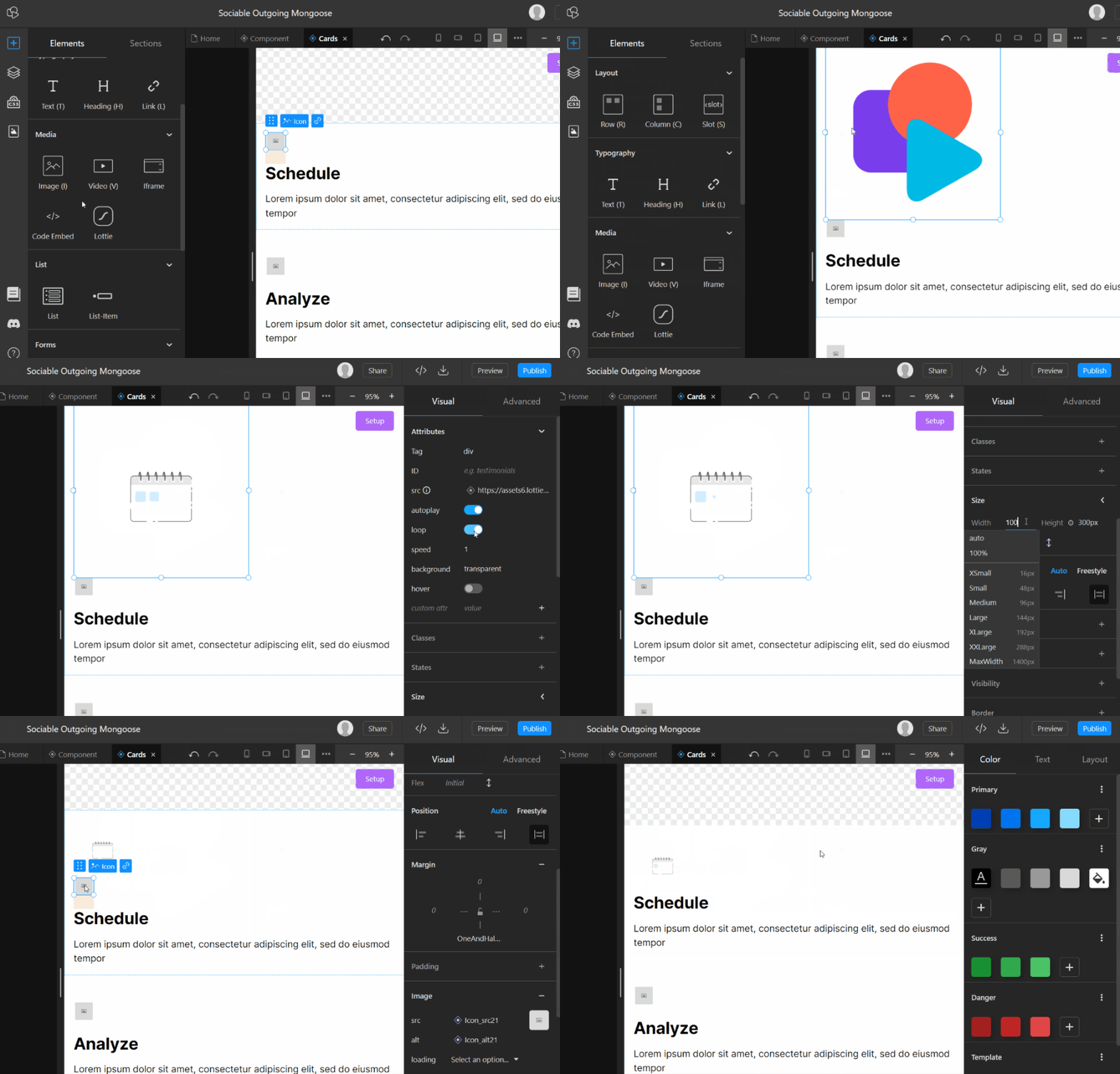
The Elements section in the Left panel now includes a special Lottie element that you can use to add Lottie files to your projects. This ensures that your code runs correctly when you export it to different frameworks.
To use the new Lottie element, you will need the animation JSON file URL (you can find examples on lottiefiles.com), which you can then add as a source in the Attributes panel.
Copy paste HTML code
You can now paste HTML code directly into your project by copying it to your clipboard and using the "Paste" command (CTRL/CMD + V or right-click). A code modal similar to the one used by the Code Embed element will appear, and the pasted code will be displayed. If the code passes validation, you can save it as TeleportHQ elements that you can interact with in your project.
This feature is different from the Code Embed element because it imports the code into individual elements and classes, rather than saving it as-is.
This means that it has some limitations, such as not being able to import JavaScript or having constraints on text, but the resulting elements are more usable within our platform.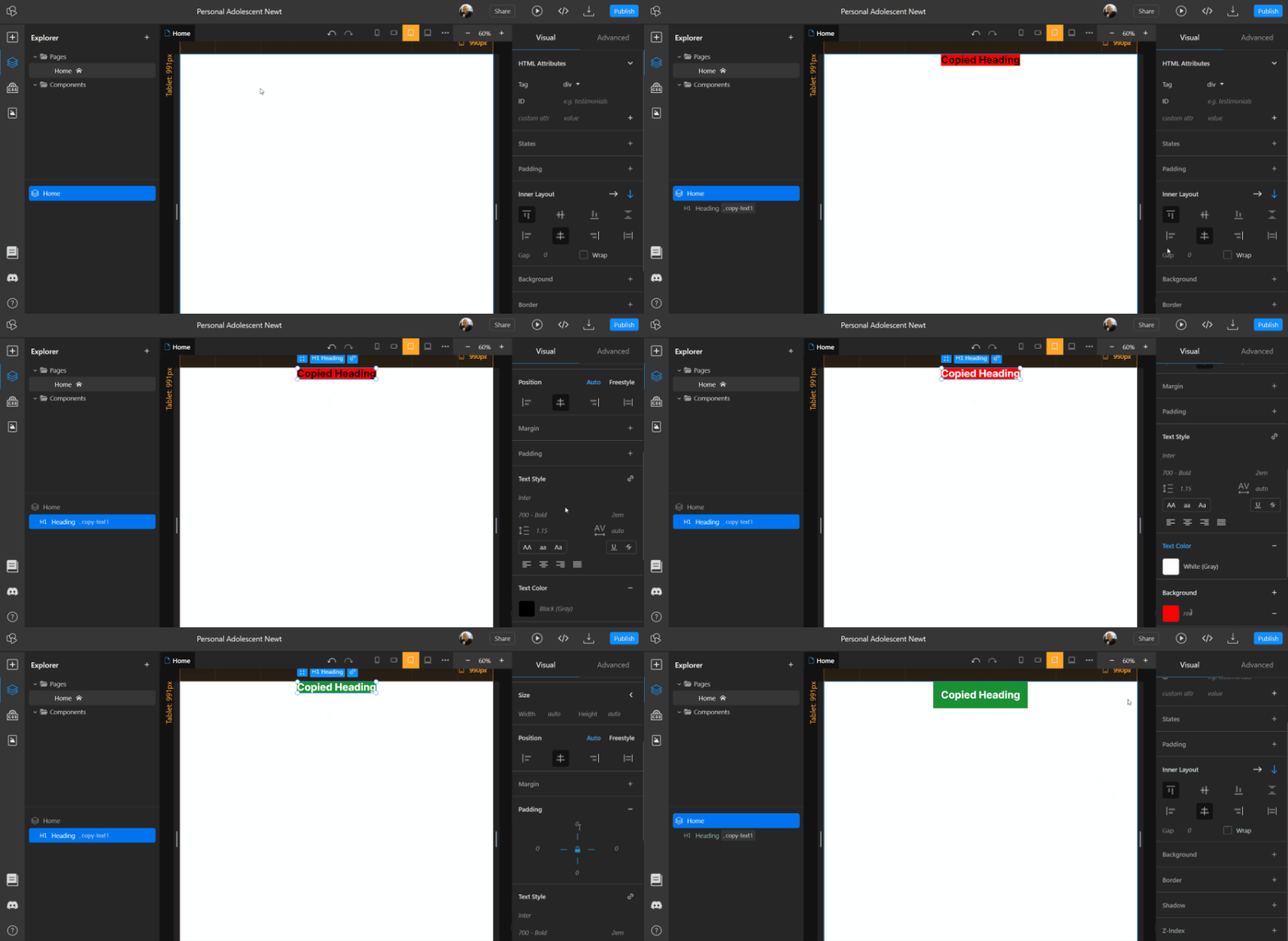
You can now paste HTML code directly into your project by copying it to your clipboard and using the "Paste" command (CTRL/CMD + V or right-click). A code modal similar to the one used by the Code Embed element will appear, and the pasted code will be displayed. If the code passes validation, you can save it as TeleportHQ elements that you can interact with in your project.
This feature is different from the Code Embed element because it imports the code into individual elements and classes, rather than saving it as-is.
This means that it has some limitations, such as not being able to import JavaScript or having constraints on text, but the resulting elements are more usable within our platform.
Copiare componenti tra progetti
Ora puoi c Copia un componente da un progetto e incollalo in un altro . Per farlo, fai clic con il tasto destro sul componente nella barra laterale sinistra, sotto Livelli e file, seleziona «Copia componente negli appunti» e incollalo (CTRL/CMD + V) nell’altro progetto.
Il componente verrà importato nel nuovo progetto. In questo modo potrai riutilizzare facilmente i componenti in più progetti.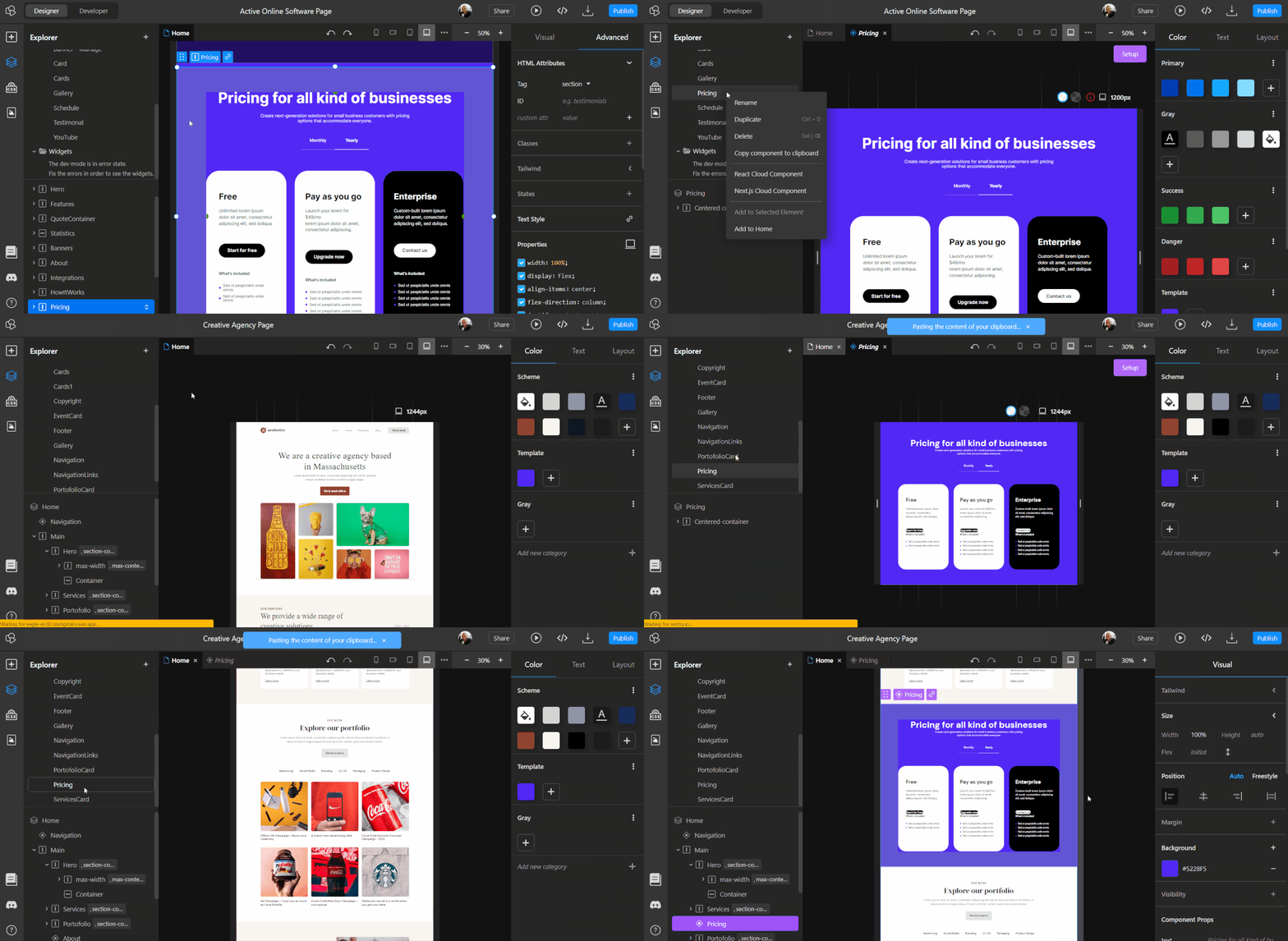
Ora puoi c Copia un componente da un progetto e incollalo in un altro . Per farlo, fai clic con il tasto destro sul componente nella barra laterale sinistra, sotto Livelli e file, seleziona «Copia componente negli appunti» e incollalo (CTRL/CMD + V) nell’altro progetto.
Il componente verrà importato nel nuovo progetto. In questo modo potrai riutilizzare facilmente i componenti in più progetti.
Updates
Toggle CSS classes and styles
You can now enable or disable individual CSS classes and style properties in the Advanced panel without deleting them.
This allows you to see how an element would look without a specific class or property without affecting previews or deploys.
This function is similar to the developer tools found in web browsers.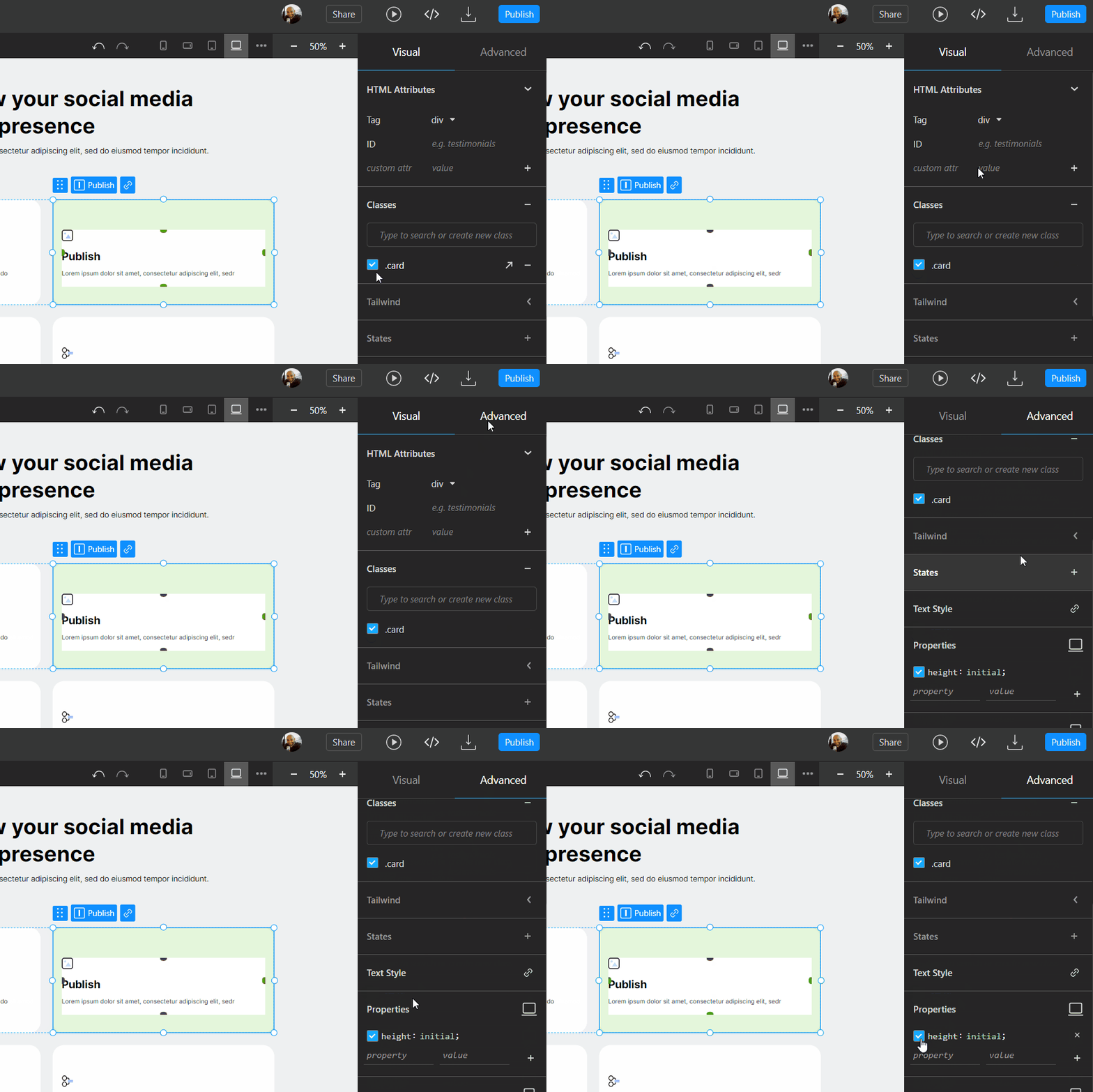
You can now enable or disable individual CSS classes and style properties in the Advanced panel without deleting them.
This allows you to see how an element would look without a specific class or property without affecting previews or deploys.
This function is similar to the developer tools found in web browsers.
Gap property in right panel
The Gap property is now fully supported in the Visual editor , and you can find a dedicated input for it in the Inner Layout section of the Right panel . Previously, you could add the Gap property manually in the Advanced tab, but there was no support or guidance for using it.
Now, the input in the Inner Layout section makes it easy to use the Gap property in your projects.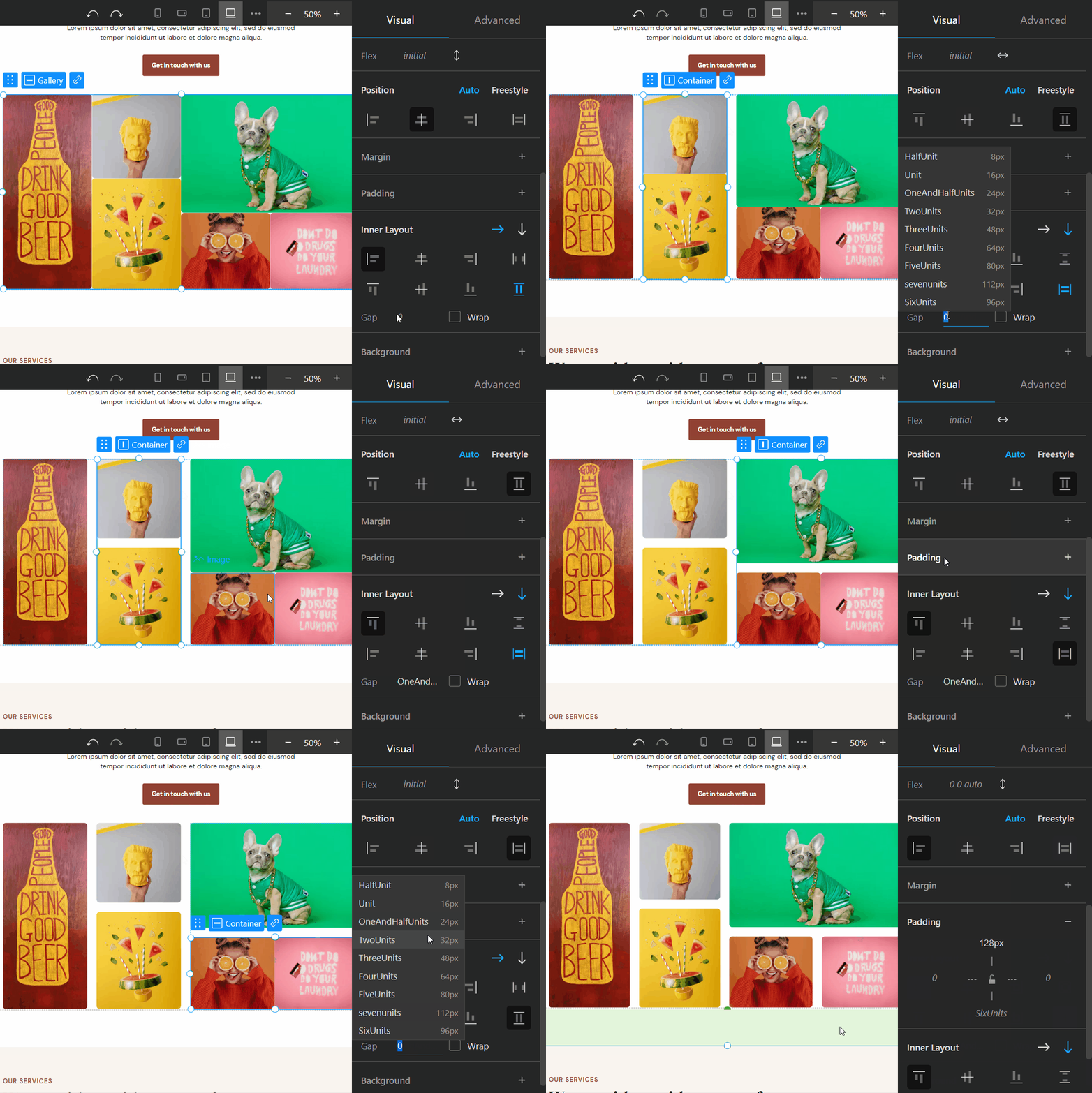
The Gap property is now fully supported in the Visual editor , and you can find a dedicated input for it in the Inner Layout section of the Right panel . Previously, you could add the Gap property manually in the Advanced tab, but there was no support or guidance for using it.
Now, the input in the Inner Layout section makes it easy to use the Gap property in your projects.
“Expand/collapse all” button in treeview
When you hover over container-type elements in the tree view of the Layers & Files section you will see a new button that allows you to collapse or expand the container and all the elements inside it.
This can be useful for organizing and navigating your project.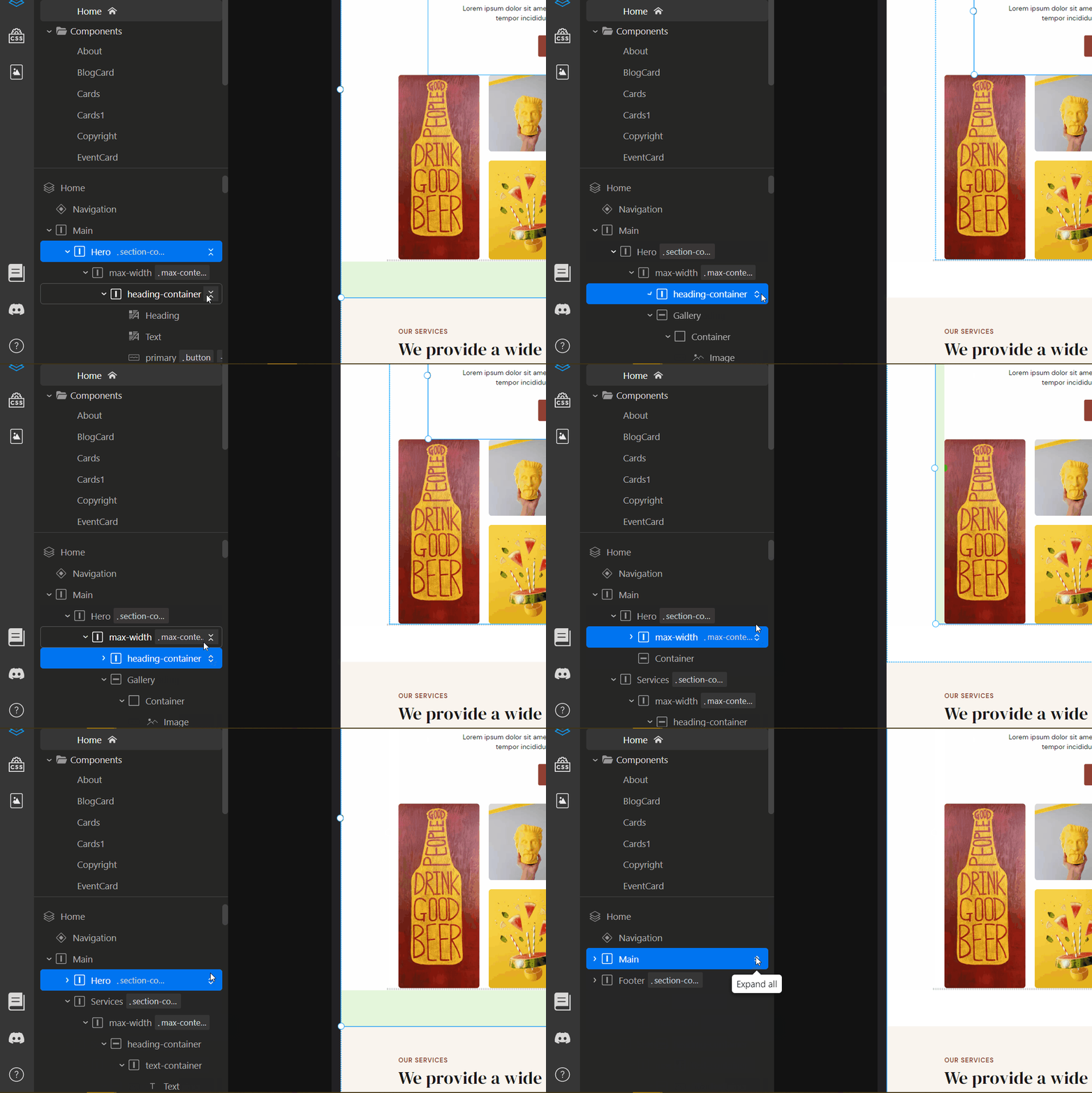
When you hover over container-type elements in the tree view of the Layers & Files section you will see a new button that allows you to collapse or expand the container and all the elements inside it.
This can be useful for organizing and navigating your project.
New templates
There are six new unique templates that you can use to start your projects. You can access them when you create a new project.
These templates are designed for different industries and have their own individual styles and color palettes.
This can save you time and help you create professional-looking projects quickly.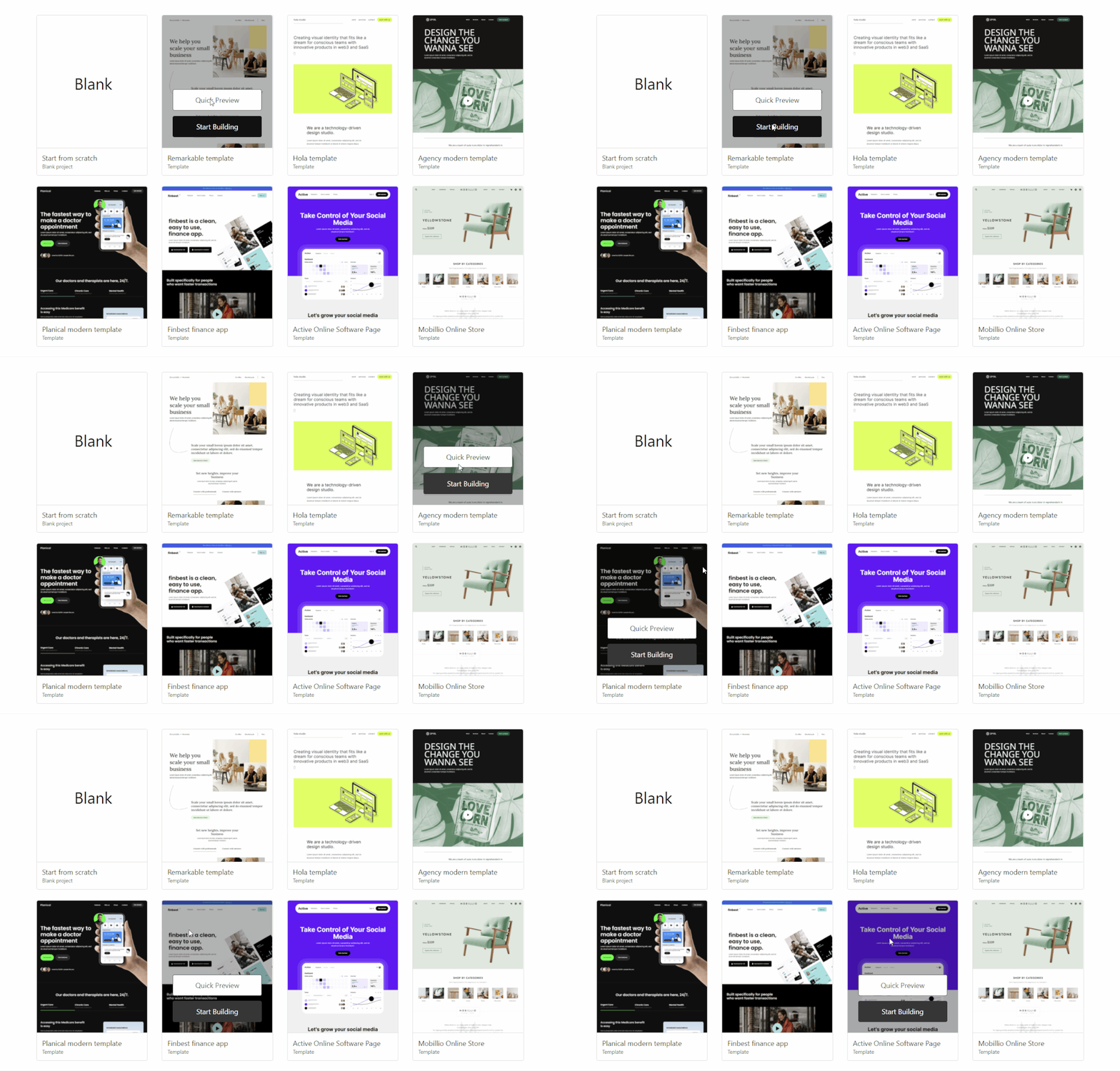
There are six new unique templates that you can use to start your projects. You can access them when you create a new project.
These templates are designed for different industries and have their own individual styles and color palettes.
This can save you time and help you create professional-looking projects quickly.
Improvements & Fixes
- UI updates and improvements to the Interactive Elements and Code Embed element preview
- Correzioni di validazione e formattazione per l'incorporamento di codice e il copia e incolla di HTML
- Correzioni di bug relativi ai percorsi delle pagine, alla generazione del codice e alla modalità di sviluppo
 Realizzato con TeleportHQ