
Note di rilascio
March 2026
Dicembre 2024
Luglio 2024
February 2024
Settembre 2023
May 2023
Gennaio 2023
November 2022 Ottobre 2022 Settembre 2021 Agosto 2021 May 2021 Marzo 2021 Agosto 2020 Luglio 2020 Giugno 2020 Maggio 2020 Aprile 2020
Settembre 2023
May 2023
Gennaio 2023
November 2022 Ottobre 2022 Settembre 2021 Agosto 2021 May 2021 Marzo 2021 Agosto 2020 Luglio 2020 Giugno 2020 Maggio 2020 Aprile 2020
16 luglio 2024
v4.0Updates
Modifica delle proprietà dei componenti direttamente nell'area di lavoro
Abbiamo riprogettato completamente la modifica delle istanze dei componenti per renderla più semplice e intuitiva.
Ora puoi semplicemente fai clic su un elemento associato a un valore dinamico e apporta le modifiche direttamente nell'area di lavoro . Se selezioni un elemento del componente, potrai comunque modificarne le proprietà anche nel pannello di destra.
Quando selezioni direttamente un componente, nel pannello di destra vedrai tutte le proprietà e i relativi stili.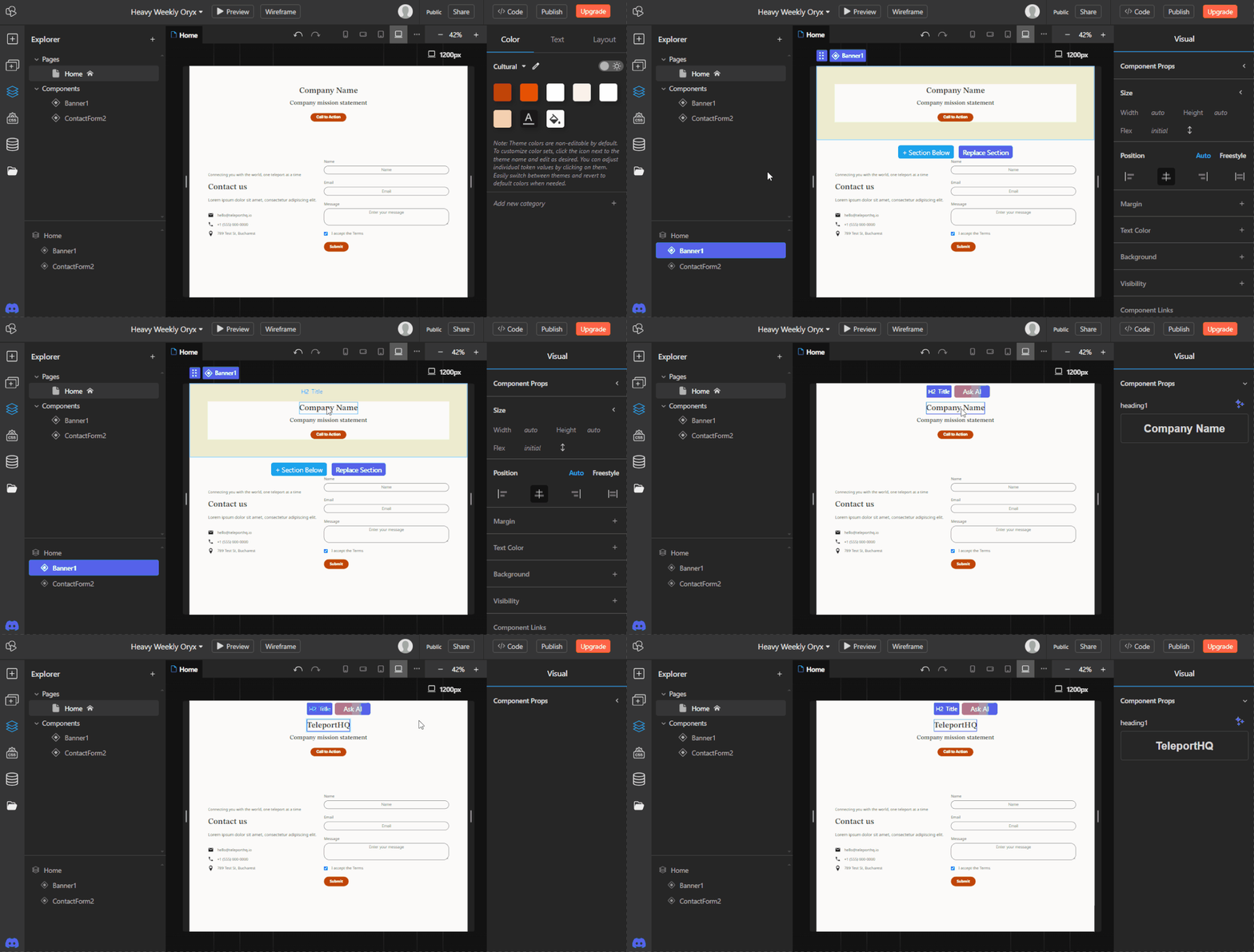
Abbiamo riprogettato completamente la modifica delle istanze dei componenti per renderla più semplice e intuitiva.
Ora puoi semplicemente fai clic su un elemento associato a un valore dinamico e apporta le modifiche direttamente nell'area di lavoro . Se selezioni un elemento del componente, potrai comunque modificarne le proprietà anche nel pannello di destra.
Quando selezioni direttamente un componente, nel pannello di destra vedrai tutte le proprietà e i relativi stili.
Creating link props
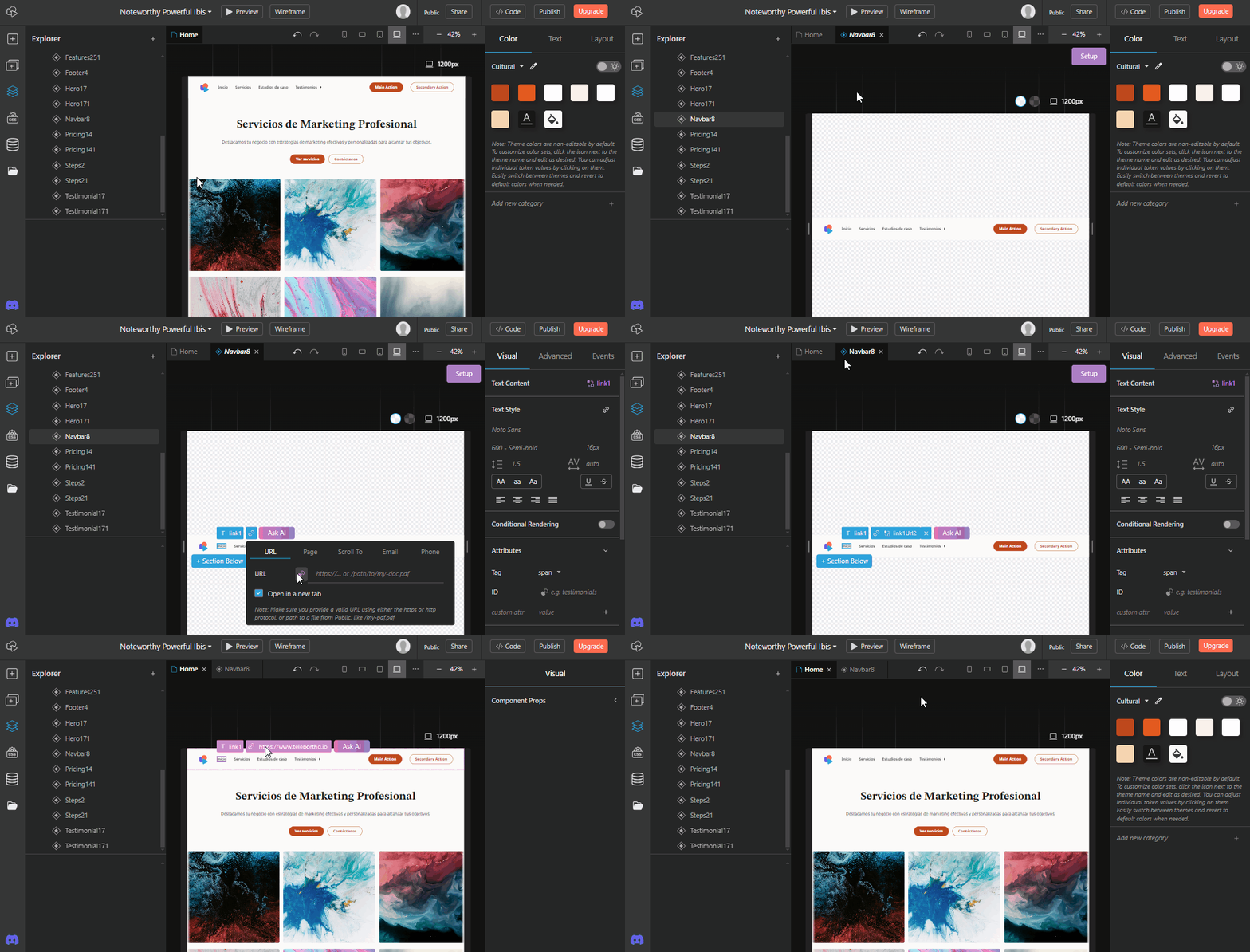
Link props can now be created and added to elements in component instances.
Adding a link prop to an element inside of a component will make the element in all of the component instances linkable . You can then use the same component in different situations and have the element with the Link prop link to different places. (ex: If you have two instances, the link in instance A can go to a different page and the link in instance B can scroll to a part of the page.)
To add a link prop, double click to start editing the component, select the element you want to link from, click the link icon and use the Create prop icon. When returning to page editing, select the element and a new Link icon will appear.
Additionally when creating a link you will also have the option to have the link Open in a new tab or not.
Link props can now be created and added to elements in component instances.
Adding a link prop to an element inside of a component will make the element in all of the component instances linkable . You can then use the same component in different situations and have the element with the Link prop link to different places. (ex: If you have two instances, the link in instance A can go to a different page and the link in instance B can scroll to a part of the page.)
To add a link prop, double click to start editing the component, select the element you want to link from, click the link icon and use the Create prop icon. When returning to page editing, select the element and a new Link icon will appear.
Additionally when creating a link you will also have the option to have the link Open in a new tab or not.
Scroll to links to component instances
Components will now appear automatically in the Scroll-to section when adding links .
Prior to this change you were not able to add an ID to components without the need to detach from the main component. Now whenever a component is created it will automatically appear in the scroll-to section of the link window.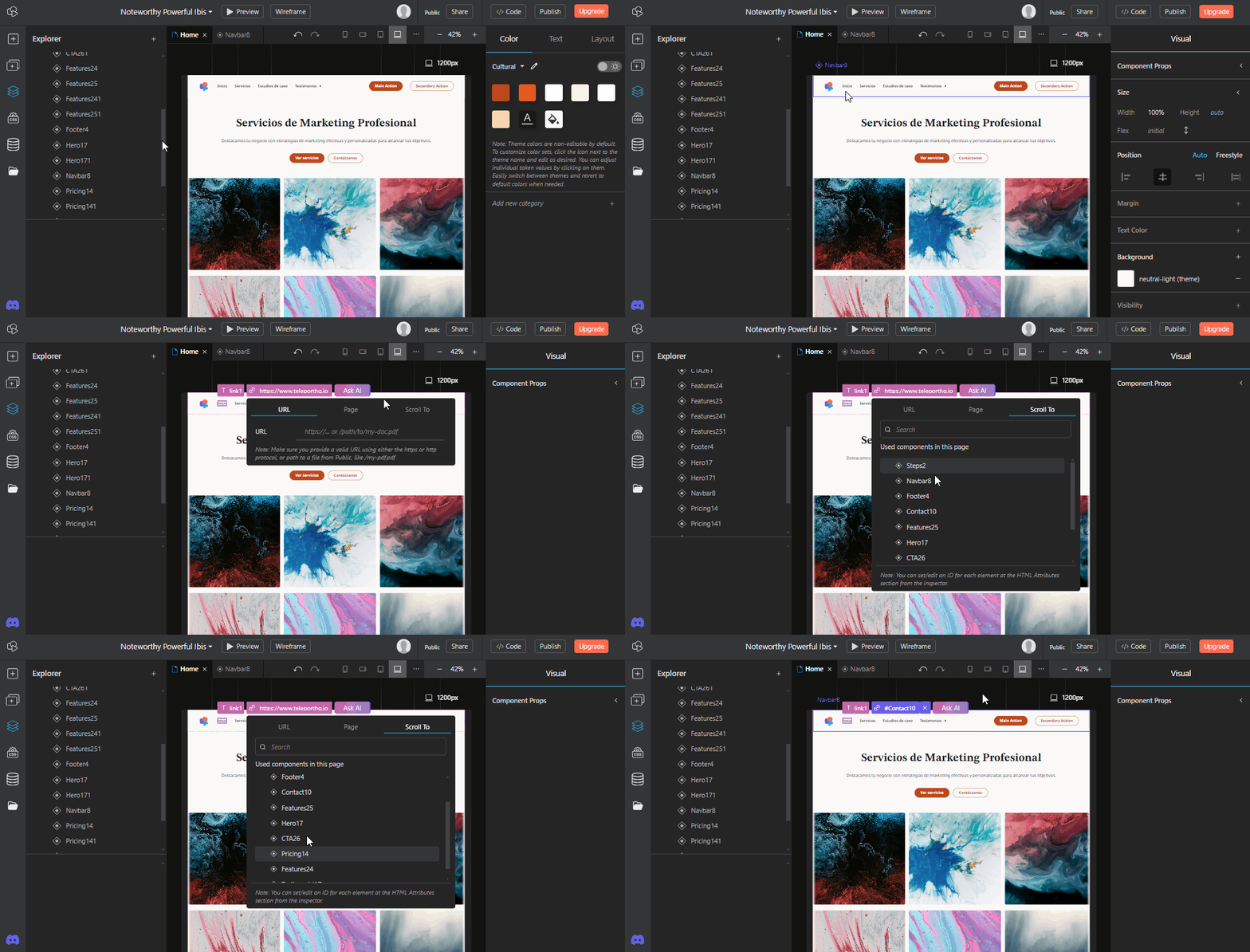
Components will now appear automatically in the Scroll-to section when adding links .
Prior to this change you were not able to add an ID to components without the need to detach from the main component. Now whenever a component is created it will automatically appear in the scroll-to section of the link window.
Sostituisci immagini e video con l’IA
Ora puoi sostituire facilmente immagini e video con la funzione Chiedi all’IA .
Seleziona un’immagine e, che si trovi o meno in un’istanza di componente, puoi fare clic sul pulsante Chiedi all’IA e inserire un prompt. Premi più volte il tasto Invio per ricevere alternative più rapidamente. In questo modo, trovare l’immagine giusta è molto più veloce e preciso.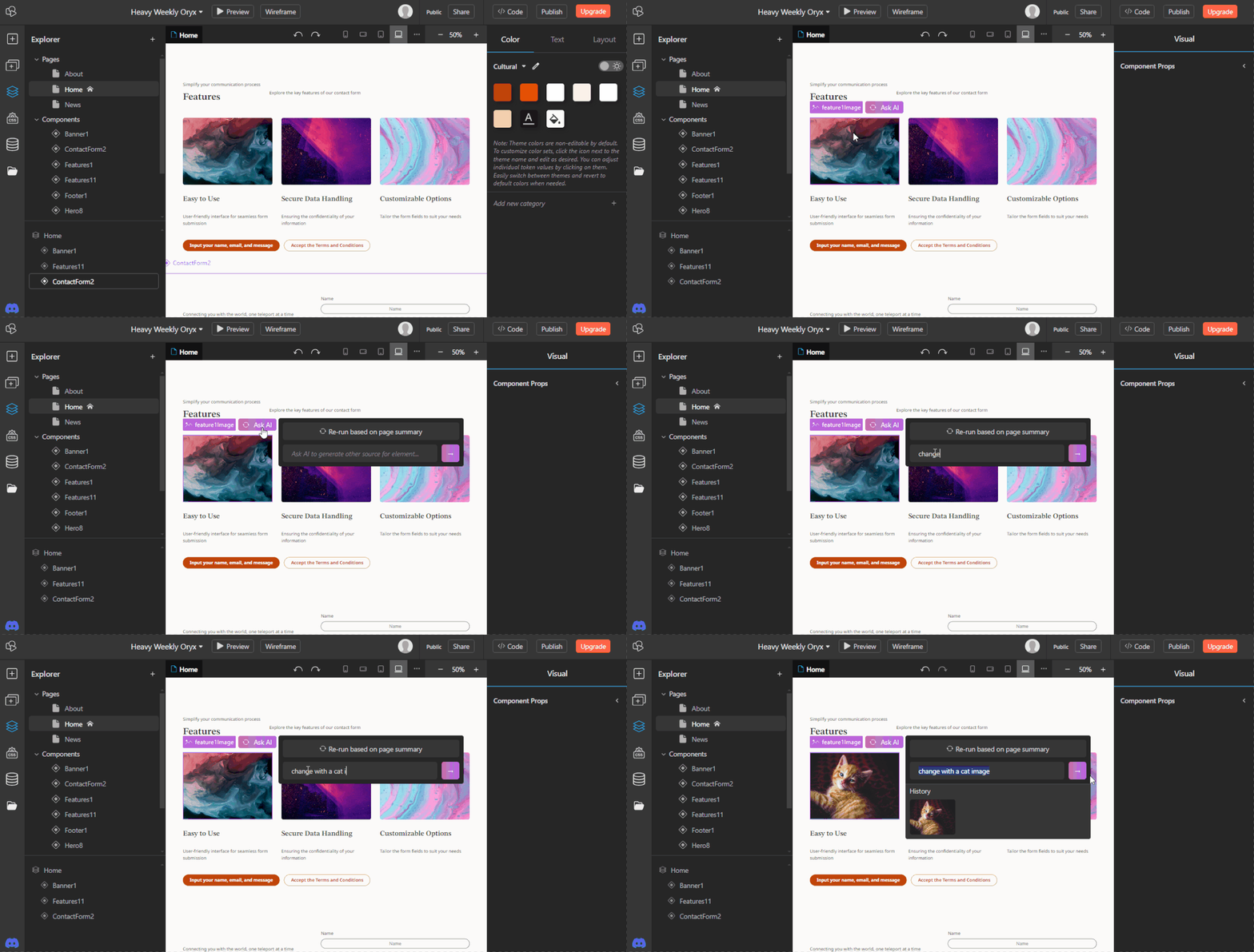
Ora puoi sostituire facilmente immagini e video con la funzione Chiedi all’IA .
Seleziona un’immagine e, che si trovi o meno in un’istanza di componente, puoi fare clic sul pulsante Chiedi all’IA e inserire un prompt. Premi più volte il tasto Invio per ricevere alternative più rapidamente. In questo modo, trovare l’immagine giusta è molto più veloce e preciso.
Il testo formattato è ora disponibile come proprietà di un componente
Ora è possibile aggiungere testo formattato ai componenti e utilizzarlo come proprietà.
Gli elementi di testo formattato possono poi essere modificati ulteriormente direttamente nell'area di lavoro o nel pannello a destra. Questa è una prima versione della modifica del testo formattato; in futuro arriveranno altri miglioramenti.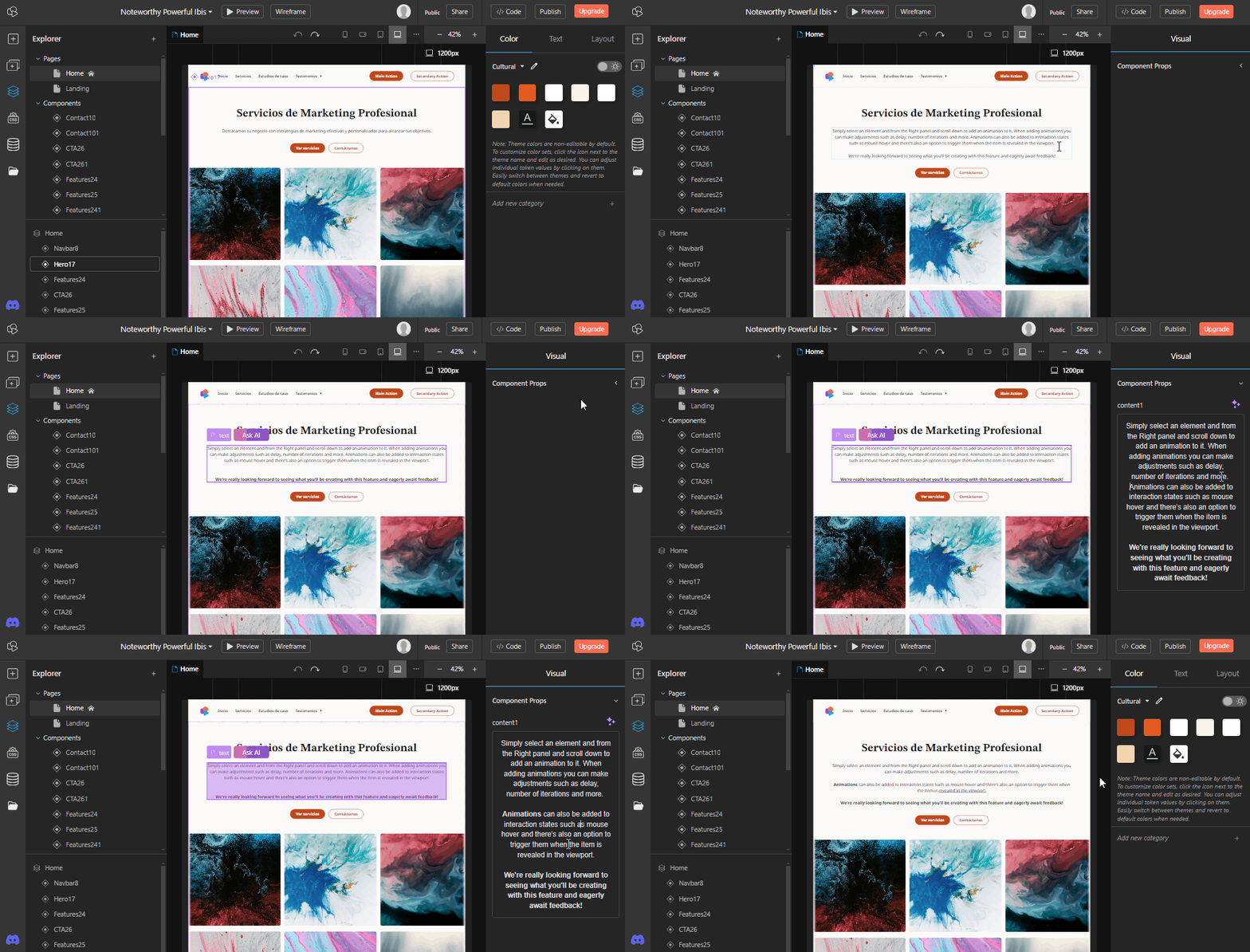
Ora è possibile aggiungere testo formattato ai componenti e utilizzarlo come proprietà.
Gli elementi di testo formattato possono poi essere modificati ulteriormente direttamente nell'area di lavoro o nel pannello a destra. Questa è una prima versione della modifica del testo formattato; in futuro arriveranno altri miglioramenti.
New AI website creation flow
The AI website creation flow has been completely redesigned.
While the previous version of the website builder used a static template to generate identical websites, the latest version uses a series of interchangeable hand crafted sections to websites that are much more unique and in tone with the prompt used at the start of the creation flow.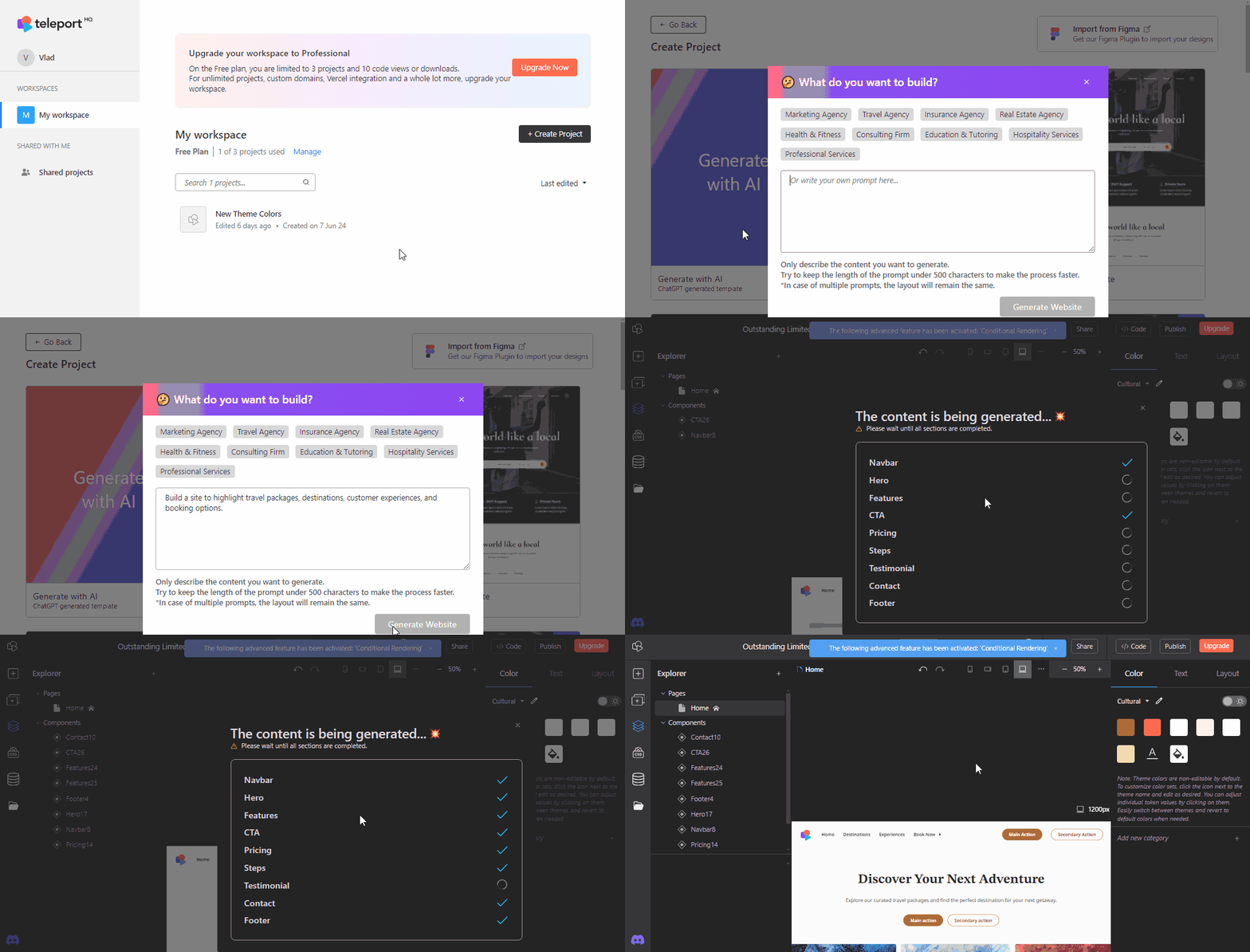
The AI website creation flow has been completely redesigned.
While the previous version of the website builder used a static template to generate identical websites, the latest version uses a series of interchangeable hand crafted sections to websites that are much more unique and in tone with the prompt used at the start of the creation flow.
New website sections and Sections tab
The new sections that are used by the AI website builder can also be found in a new Sections tab and added manually in any project. The new Sections tab can be found in the Left panel , just below the Elements tab.
Additionally when selecting a section or component in a project you have the option to Add a new section below or Replace section , which will automatically take you to the Sections tab.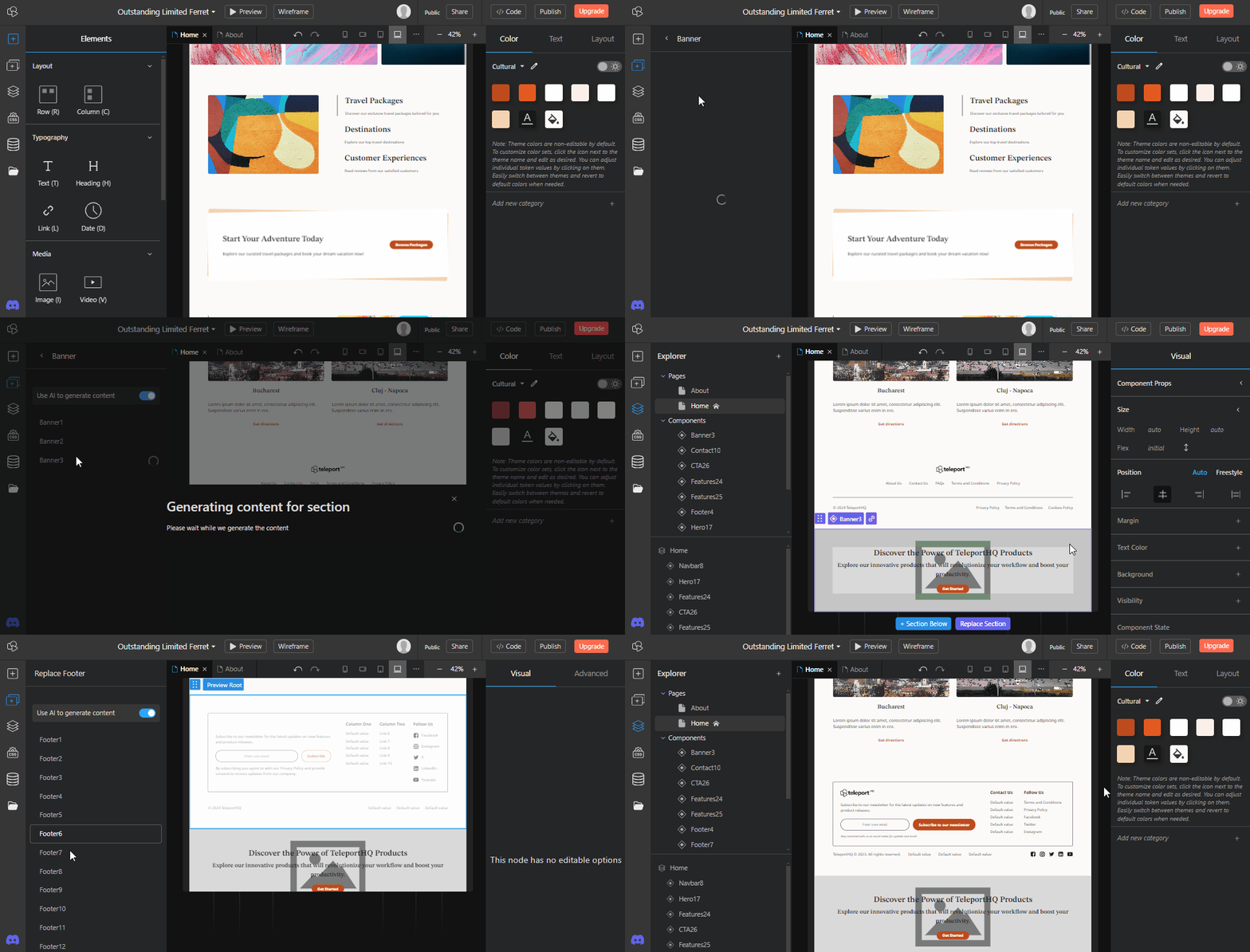
The new sections that are used by the AI website builder can also be found in a new Sections tab and added manually in any project. The new Sections tab can be found in the Left panel , just below the Elements tab.
Additionally when selecting a section or component in a project you have the option to Add a new section below or Replace section , which will automatically take you to the Sections tab.
New page creation flow and page templates
Together with the new website creation flow we have also added a way to generate new pages faster .
To facilitate this we have created 5 new categories of pages each with several page variants that you can choose from. Each of these page variants is created using the brand new website sections. When creating a new page you can also choose to have AI generated text.
This greatly improves the experience of creating a full website with multiple pages.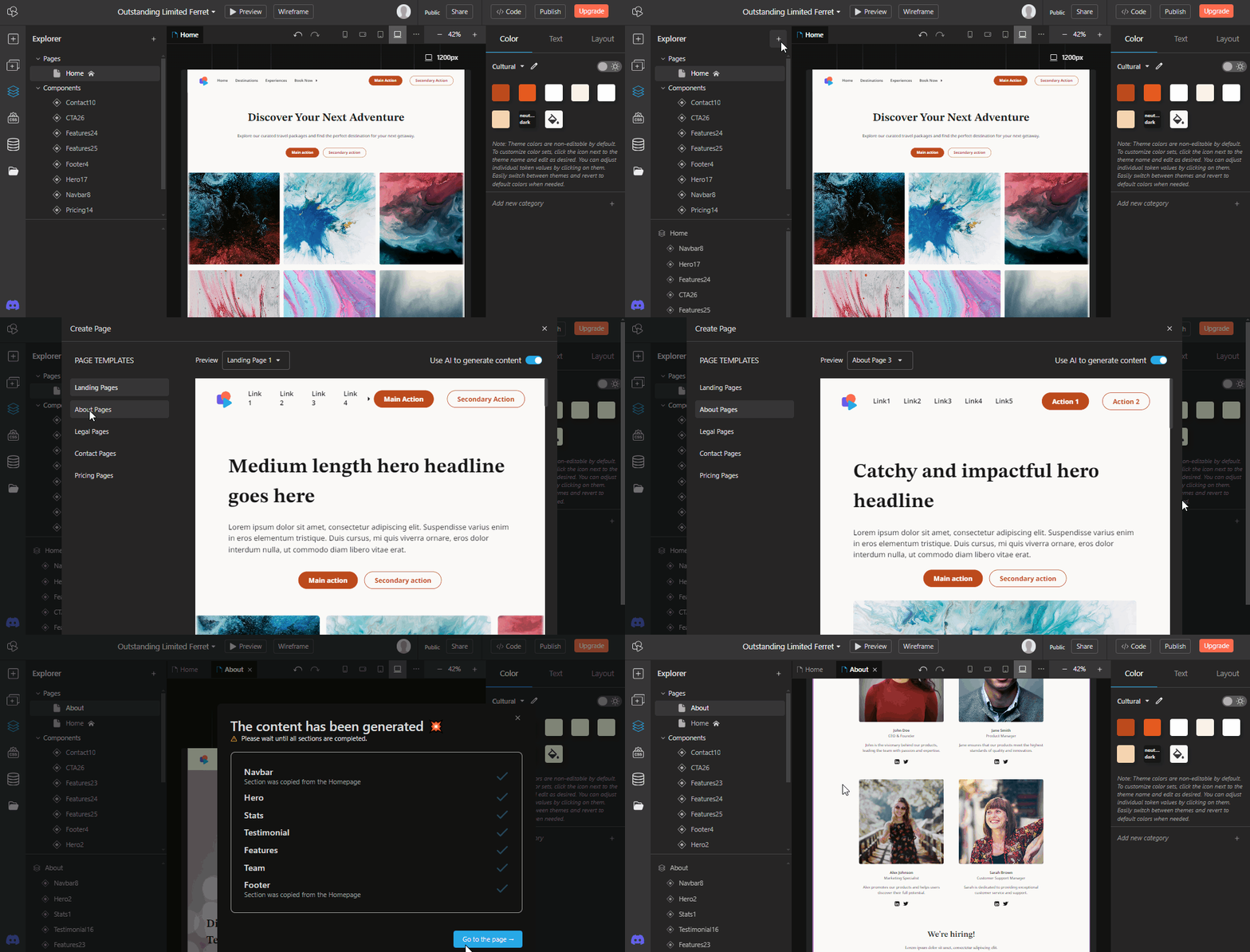
Together with the new website creation flow we have also added a way to generate new pages faster .
To facilitate this we have created 5 new categories of pages each with several page variants that you can choose from. Each of these page variants is created using the brand new website sections. When creating a new page you can also choose to have AI generated text.
This greatly improves the experience of creating a full website with multiple pages.
Themes and theme editing
All of the sections found in the New sections tab which are also used in the Ai Website Builder can be quickly restyled using Themes .
Clicking outside of the canvas will take you to the Design tab in the Right panel. In the color tab you will find a dropdown menu from which you can select a new theme with different colors and fonts. Almost all of the new themes also have a Dark mode which can be activated using a switch.
All of the themes can also be further customized by using the Edit icon right next to the theme. These options make it a lot easier to customize AI generated websites or websites created using our sections.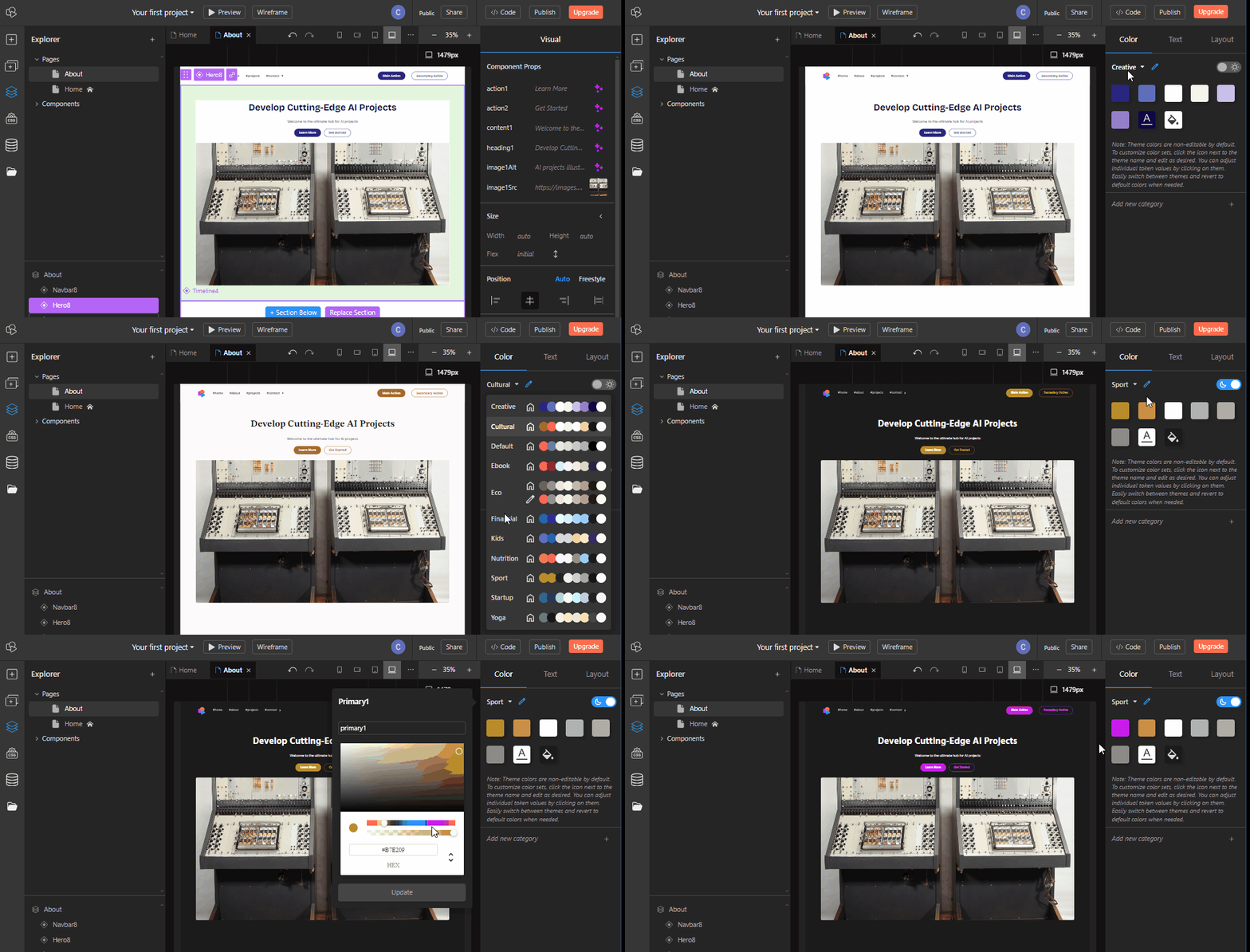
All of the sections found in the New sections tab which are also used in the Ai Website Builder can be quickly restyled using Themes .
Clicking outside of the canvas will take you to the Design tab in the Right panel. In the color tab you will find a dropdown menu from which you can select a new theme with different colors and fonts. Almost all of the new themes also have a Dark mode which can be activated using a switch.
All of the themes can also be further customized by using the Edit icon right next to the theme. These options make it a lot easier to customize AI generated websites or websites created using our sections.
Opzioni di modifica del testo con l'IA
Gli elementi di testo possono essere modificati facilmente in TeleportHQ con l'IA.
Selezionando qualsiasi elemento di testo in un progetto, troverai l'opzione Chiedi all'IA proprio sopra di esso. Puoi usarla per fornire all'IA un prompt con la modifica desiderata oppure scegliere una delle opzioni predefinite per accorciare o allungare il testo o cambiarne il tono.
La potenza dell'IA a portata di mano. Non dovrai più passare da TeleportHQ a un altro strumento di generazione di testi basato sull'IA.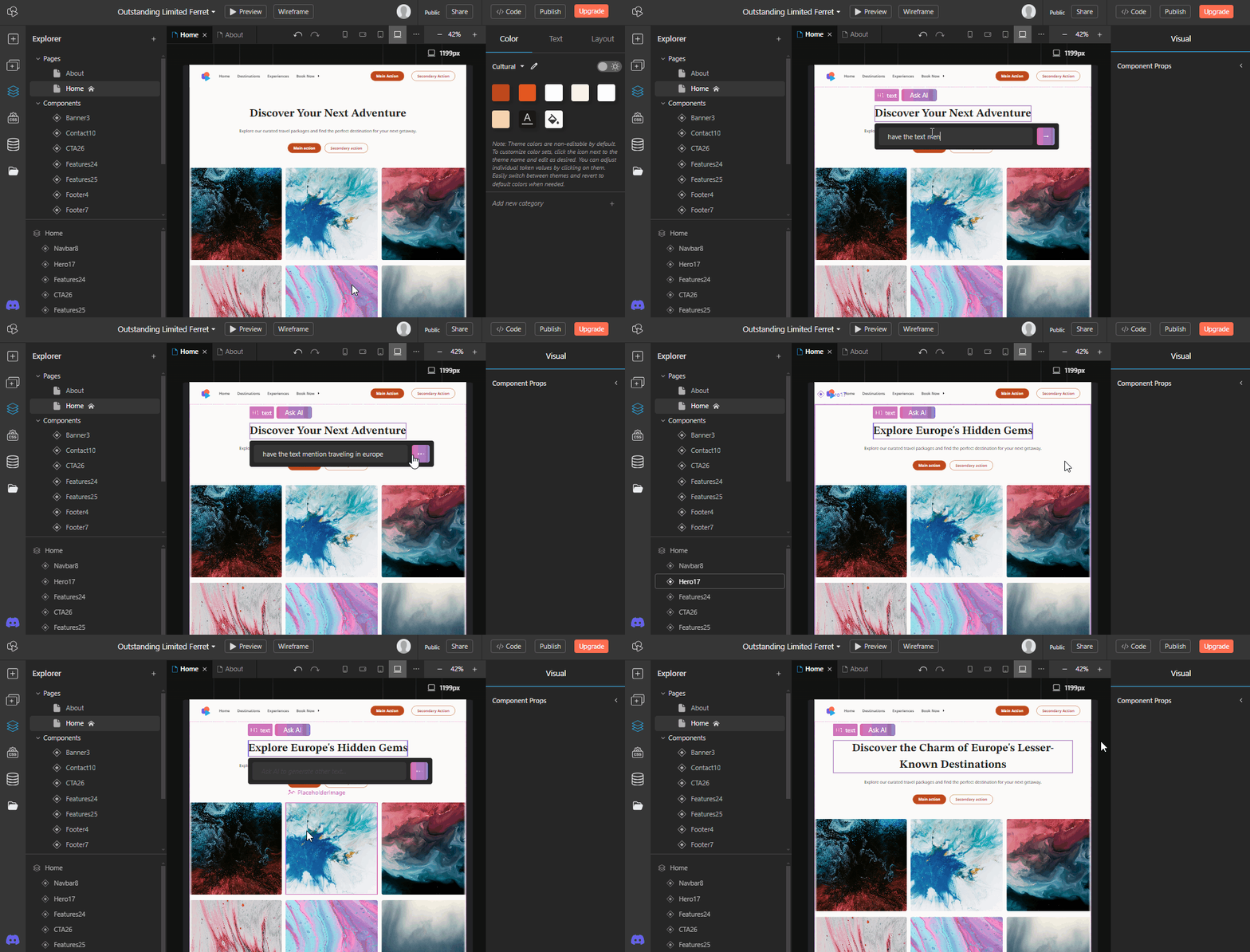
Gli elementi di testo possono essere modificati facilmente in TeleportHQ con l'IA.
Selezionando qualsiasi elemento di testo in un progetto, troverai l'opzione Chiedi all'IA proprio sopra di esso. Puoi usarla per fornire all'IA un prompt con la modifica desiderata oppure scegliere una delle opzioni predefinite per accorciare o allungare il testo o cambiarne il tono.
La potenza dell'IA a portata di mano. Non dovrai più passare da TeleportHQ a un altro strumento di generazione di testi basato sull'IA.
Miglioramenti e correzioni
- Aggiunta la possibilità di visualizzare e raggiungere le istanze di qualsiasi componente
- Added a new Wireframe button in Top bar to improve editing visibility
- Rearranged the Code and Export buttons into a new Code window
 Realizzato con TeleportHQ