
Note di rilascio
March 2026
Dicembre 2024
Luglio 2024
February 2024
Settembre 2023
May 2023
Gennaio 2023
November 2022 Ottobre 2022 Settembre 2021 Agosto 2021 May 2021 Marzo 2021 Agosto 2020 Luglio 2020 Giugno 2020 Maggio 2020 Aprile 2020
Settembre 2023
May 2023
Gennaio 2023
November 2022 Ottobre 2022 Settembre 2021 Agosto 2021 May 2021 Marzo 2021 Agosto 2020 Luglio 2020 Giugno 2020 Maggio 2020 Aprile 2020
22 febbraio 2024
v3.1.33Major feature
Animations
We've just released the first iteration of easy to configure animations!
Simply select an element and from the Right panel and scroll down to add an animation to it. When adding animations you can make adjustments such as delay, number of iterations and more. Animations can also be added to interaction states such as mouse hover and there’s also an option to trigger them when the item is revealed in the viewport.
We're really looking forward to seeing what you'll be creating with this feature and eagerly await feedback!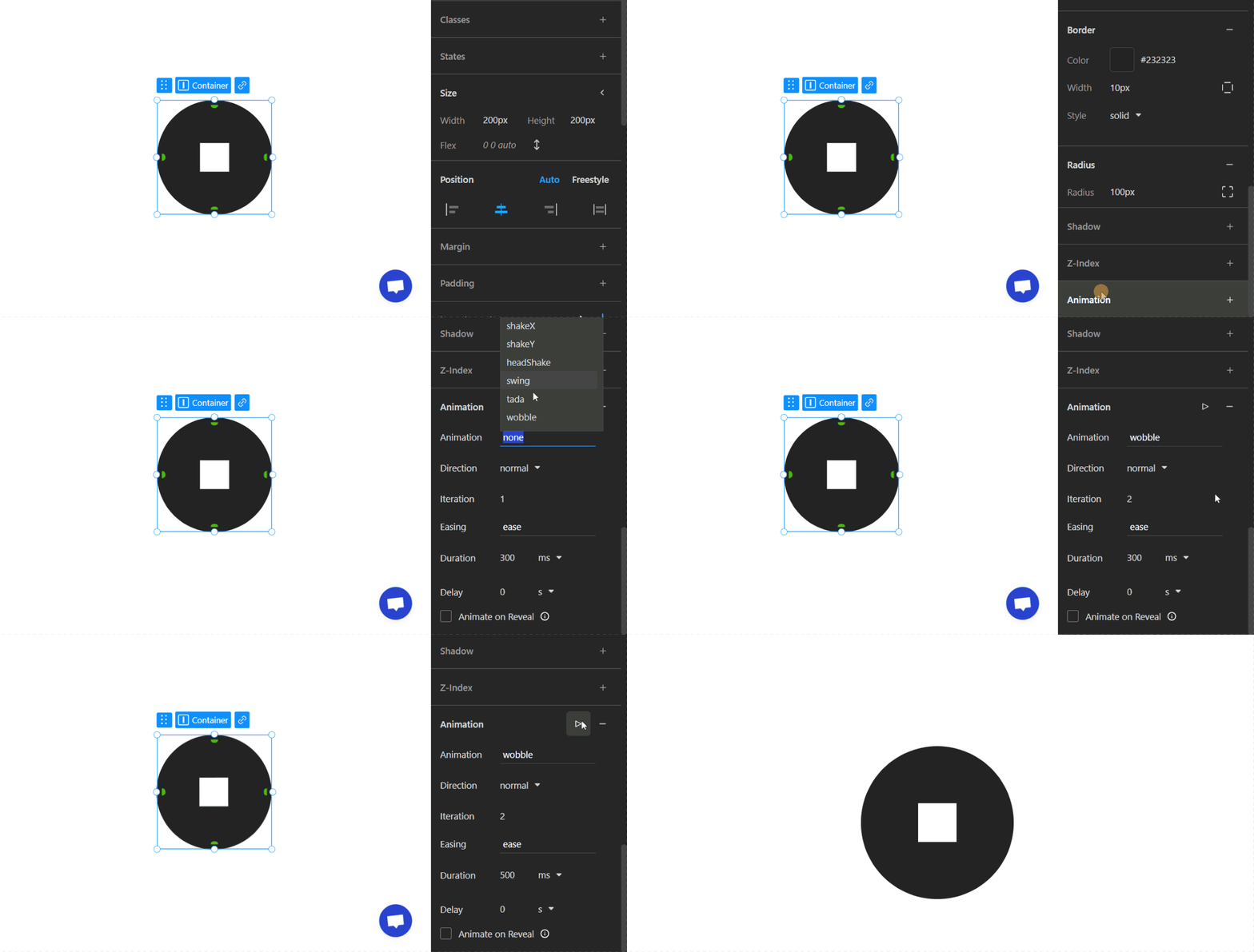
We've just released the first iteration of easy to configure animations!
Simply select an element and from the Right panel and scroll down to add an animation to it. When adding animations you can make adjustments such as delay, number of iterations and more. Animations can also be added to interaction states such as mouse hover and there’s also an option to trigger them when the item is revealed in the viewport.
We're really looking forward to seeing what you'll be creating with this feature and eagerly await feedback!
AI website builder
One of our new attempts at adding more AI to TeleportHQ was released in the form of the AI website builder.
This generator takes a ChatGPT prompt and then creates a template whose content is based on the previously provided prompt. Once generated a few themes are available to further customize the website and in just a few seconds you can have a new project with little to no effort.
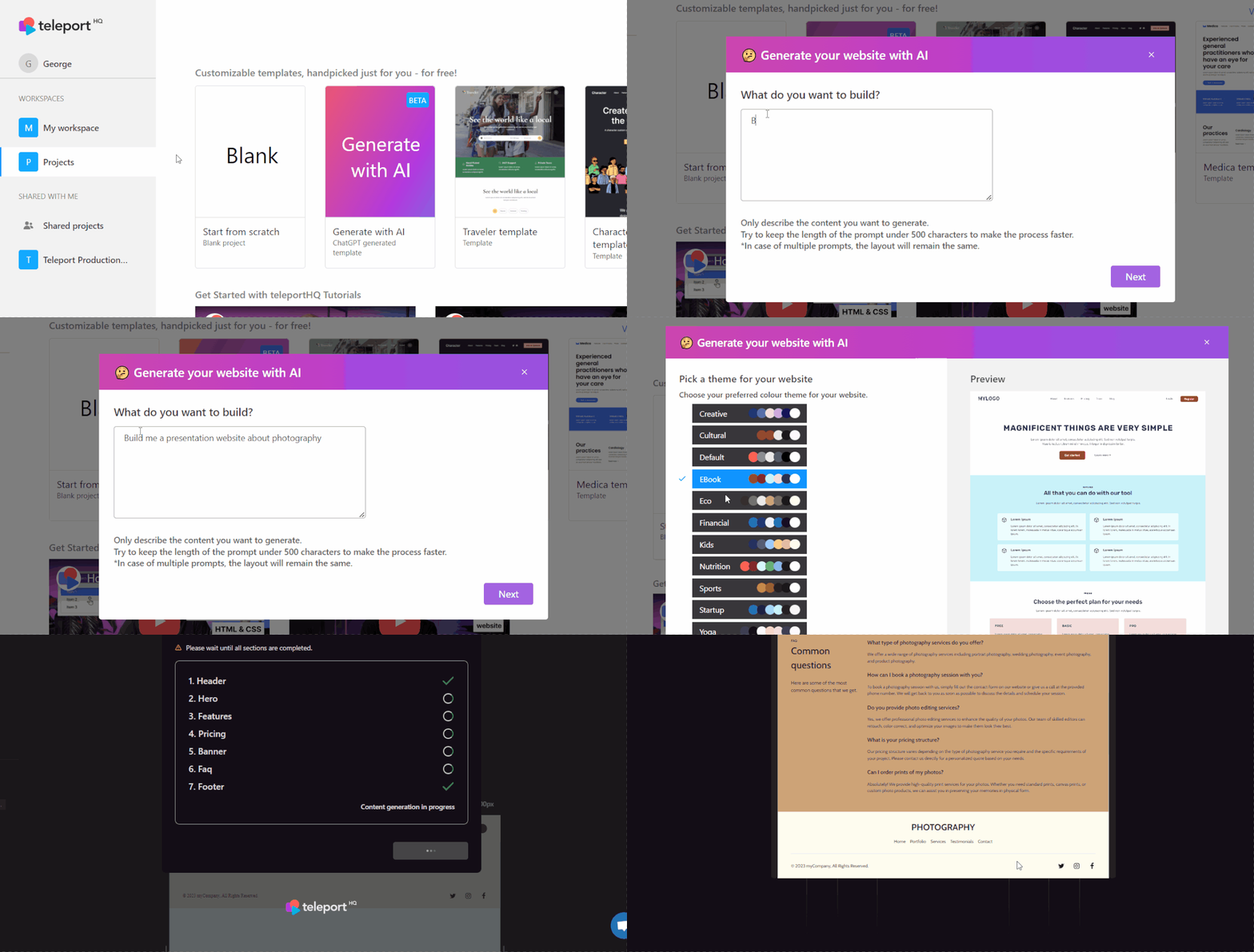
One of our new attempts at adding more AI to TeleportHQ was released in the form of the AI website builder.
This generator takes a ChatGPT prompt and then creates a template whose content is based on the previously provided prompt. Once generated a few themes are available to further customize the website and in just a few seconds you can have a new project with little to no effort.
New image slider interactive elements
Using this element you can easily create a carousel slider and completely skip adding custom JS and embeds. Once added to the canvas it can be styled, configured from the Right panel and new images or elements can be added to the slides.
Interactive elements is a category on which we plan to further expand in the future, so keep an eye out.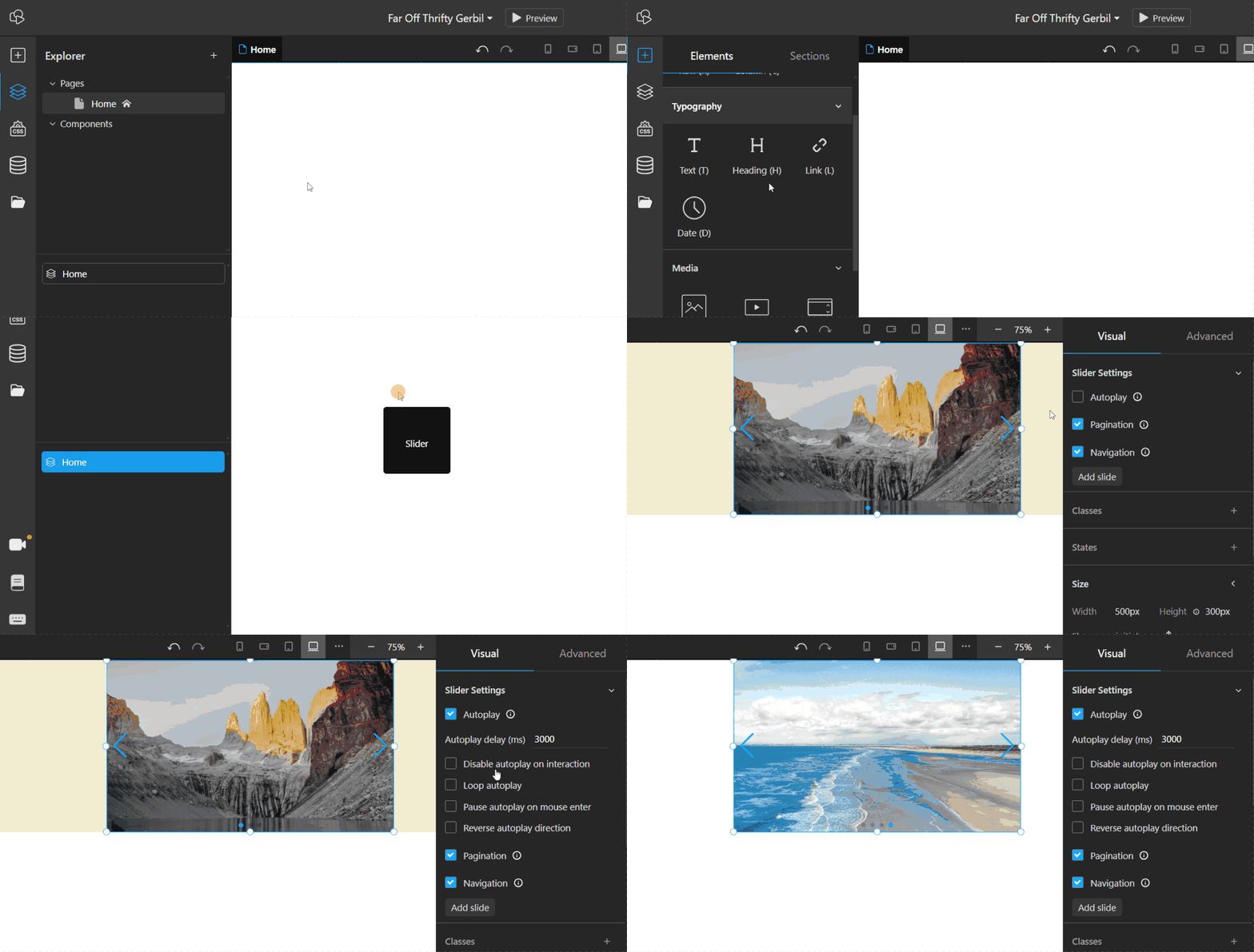
Using this element you can easily create a carousel slider and completely skip adding custom JS and embeds. Once added to the canvas it can be styled, configured from the Right panel and new images or elements can be added to the slides.
Interactive elements is a category on which we plan to further expand in the future, so keep an eye out.
Mixed type CMS element
This is a helper element.
It is used inside of CMS Lists or Items, when they are linked to a CMS data type that contains a field which acts as a reference to an entity that can be of one or more data types.
When configuring a CMS Mixed Type element, in the mappings section, you can create a mapping to whichever data types you expect that particular Mixed Type element to use.
Each mapping will then be able to display a component when its data type is matched by the Mixed Type element.
This is a helper element.
It is used inside of CMS Lists or Items, when they are linked to a CMS data type that contains a field which acts as a reference to an entity that can be of one or more data types.
When configuring a CMS Mixed Type element, in the mappings section, you can create a mapping to whichever data types you expect that particular Mixed Type element to use.
Each mapping will then be able to display a component when its data type is matched by the Mixed Type element.
Elementi CMS mappatori di array
È anche un elemento di supporto utilizzato all'interno di elenchi o elementi CMS.
Viene utilizzato quando è collegato a un tipo di dati CMS che contiene un campo di array o di elenco di qualsiasi genere. Non può essere associato direttamente a un tipo di dati, quindi non è utile utilizzarlo al di fuori del contesto dei nodi CMS.
La sorgente viene impostata collegando dinamicamente un campo di un elemento o di un elenco CMS gerarchicamente superiore al mappatore di array.
Ad esempio, un tipo CMS per l'e-commerce può includere diversi tipi di prodotto. Questi prodotti possono a loro volta avere un campo contenente un breve elenco di immagini del prodotto o persino di altri prodotti correlati. Per mostrare uno dei due elenchi, è possibile usare un elemento mappatore di array, da solo o insieme ad altri elementi CMS, secondo necessità.
È anche un elemento di supporto utilizzato all'interno di elenchi o elementi CMS.
Viene utilizzato quando è collegato a un tipo di dati CMS che contiene un campo di array o di elenco di qualsiasi genere. Non può essere associato direttamente a un tipo di dati, quindi non è utile utilizzarlo al di fuori del contesto dei nodi CMS.
La sorgente viene impostata collegando dinamicamente un campo di un elemento o di un elenco CMS gerarchicamente superiore al mappatore di array.
Ad esempio, un tipo CMS per l'e-commerce può includere diversi tipi di prodotto. Questi prodotti possono a loro volta avere un campo contenente un breve elenco di immagini del prodotto o persino di altri prodotti correlati. Per mostrare uno dei due elenchi, è possibile usare un elemento mappatore di array, da solo o insieme ad altri elementi CMS, secondo necessità.
Updates
Funzionalità Headless CMS spostata nell'ambiente live
La funzionalità CMS è stata spostata dall'ambiente beta del CMS a quello live su play.teleporthq.io!
Questo comporta importanti modifiche interne e correzioni al rendering e alle funzionalità generali, oltre all'intera funzionalità di integrazione Headless CMS.
Questo non significa che il CMS beta sia uscito dalla fase beta, ma ci siamo decisamente avvicinati. Stiamo ancora lavorando intensamente per risolvere i problemi noti e quelli che potrebbero presentarsi.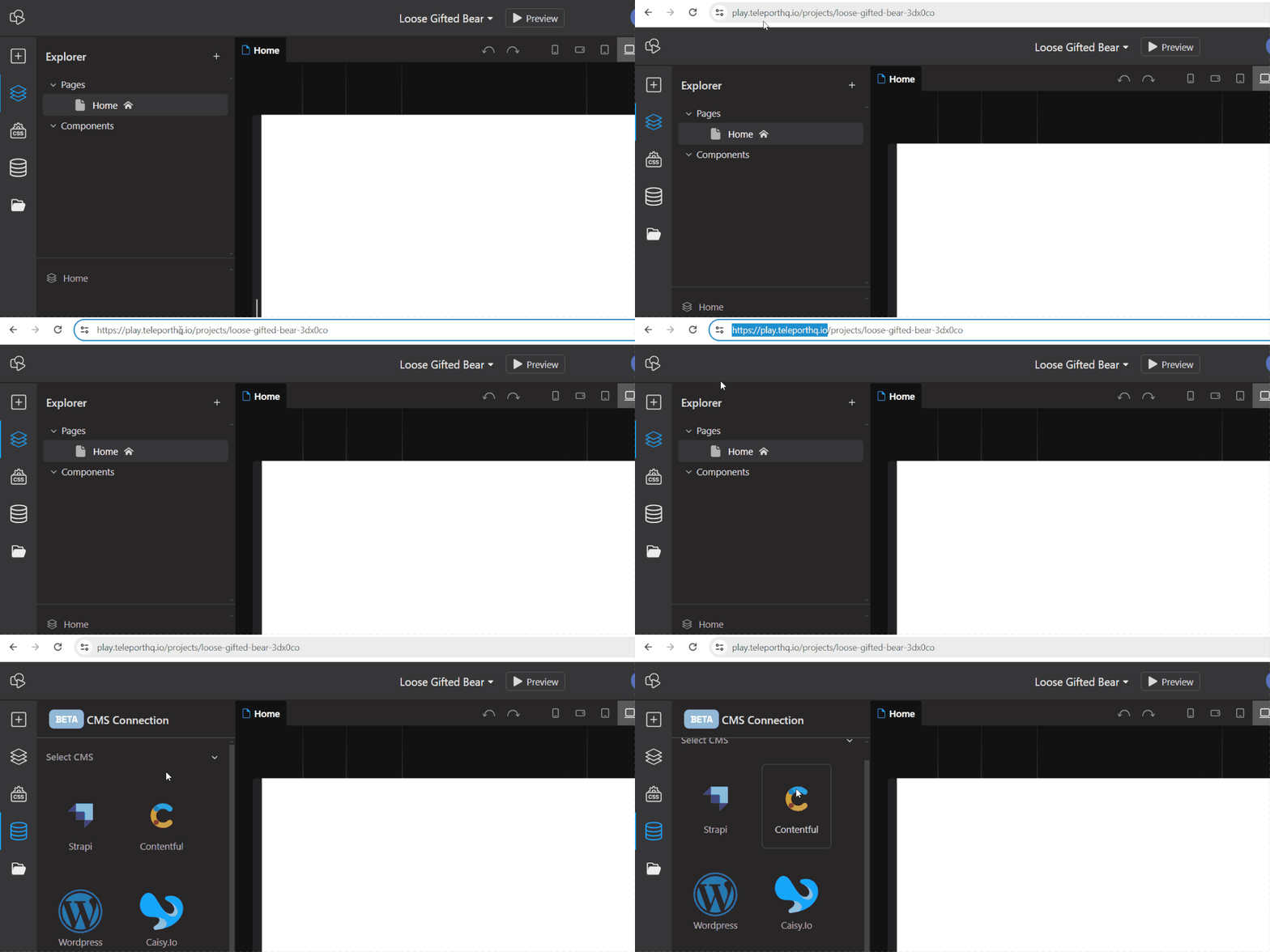
La funzionalità CMS è stata spostata dall'ambiente beta del CMS a quello live su play.teleporthq.io!
Questo comporta importanti modifiche interne e correzioni al rendering e alle funzionalità generali, oltre all'intera funzionalità di integrazione Headless CMS.
Questo non significa che il CMS beta sia uscito dalla fase beta, ma ci siamo decisamente avvicinati. Stiamo ancora lavorando intensamente per risolvere i problemi noti e quelli che potrebbero presentarsi.
Advanced features tab
The previous Experimental Features tab in Project settings has been renamed to Advanced Features. This has been done because most of the features that can be enabled from here are stable and only change the behavior of a project.
Some of these features include: conditional rendering, advanced embeds or access to the Private folder.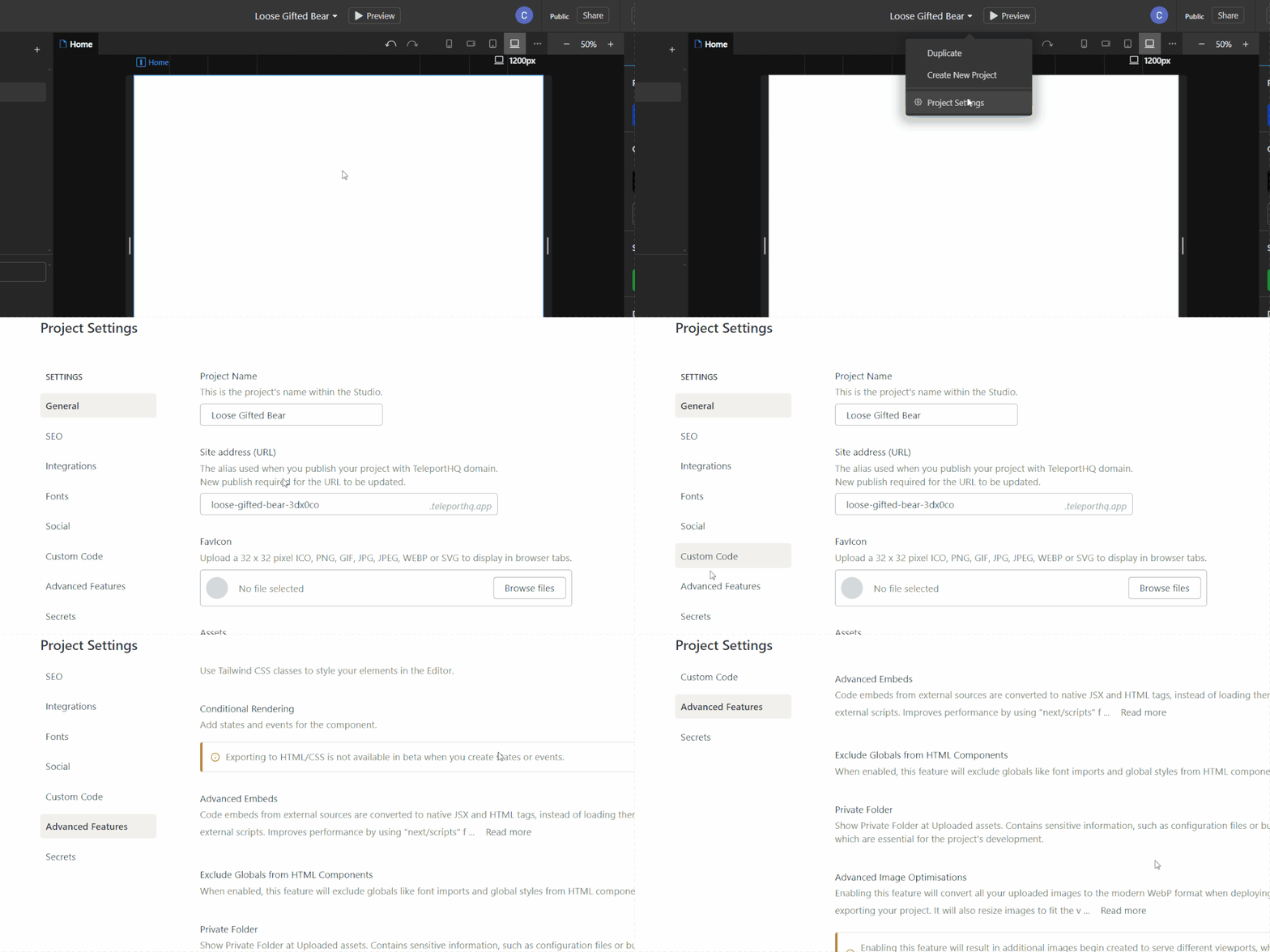
The previous Experimental Features tab in Project settings has been renamed to Advanced Features. This has been done because most of the features that can be enabled from here are stable and only change the behavior of a project.
Some of these features include: conditional rendering, advanced embeds or access to the Private folder.
Aggiunto un flusso di sincronizzazione per il CMS
Un importante aggiornamento delle funzionalità del CMS consiste nell'aggiunta di una modalità di sincronizzazione con un CMS headless collegato, che permette di recepire le modifiche apportate al CMS. In questo modo, l'intero processo è molto più stabile e non è più necessario riconnettersi manualmente al CMS rischiando di perdere i progressi.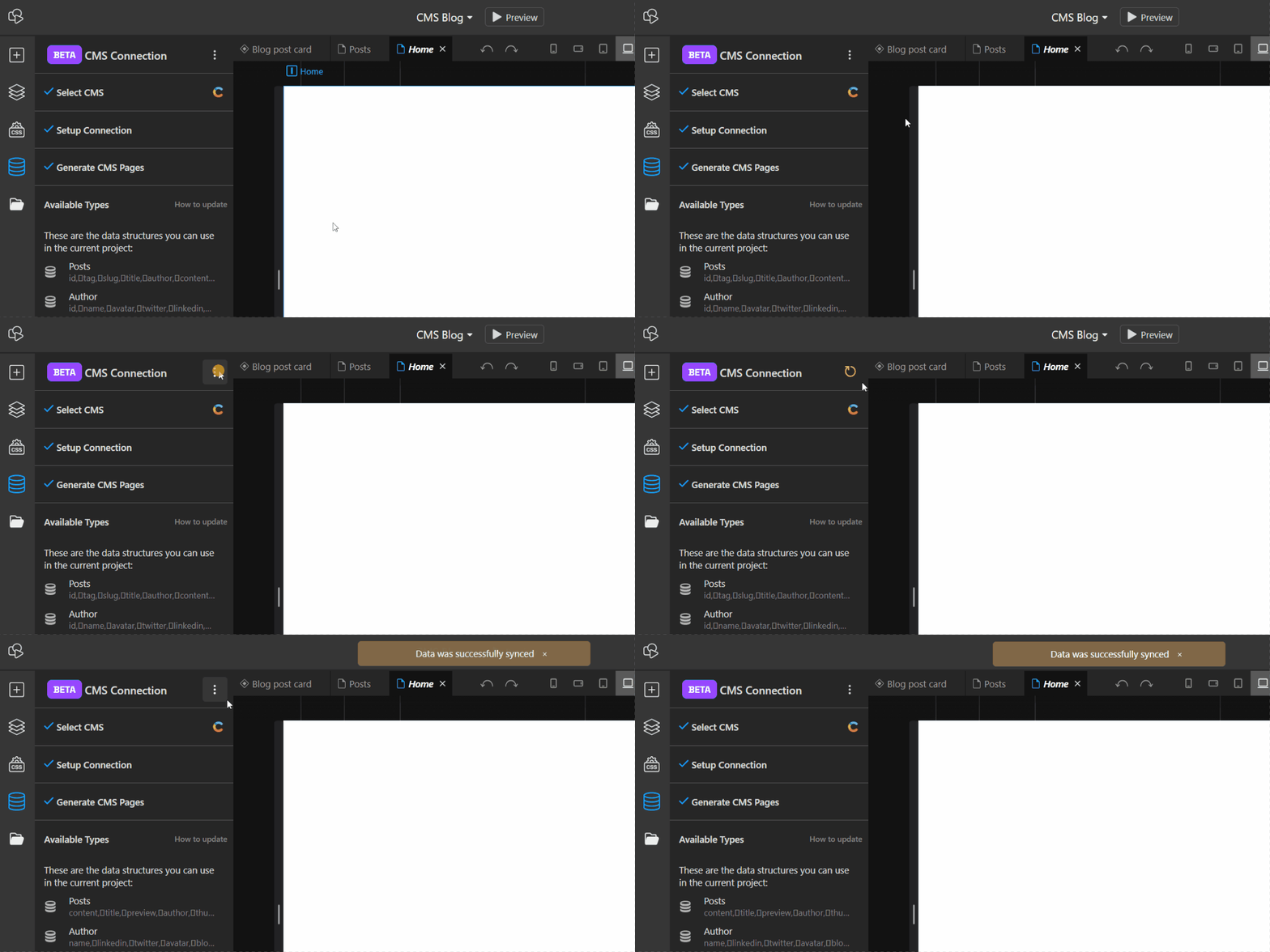
Un importante aggiornamento delle funzionalità del CMS consiste nell'aggiunta di una modalità di sincronizzazione con un CMS headless collegato, che permette di recepire le modifiche apportate al CMS. In questo modo, l'intero processo è molto più stabile e non è più necessario riconnettersi manualmente al CMS rischiando di perdere i progressi.
Procedura di caricamento dei font personalizzati rivista
La procedura per aggiungere font personalizzati ai nostri progetti è stata completamente rivista e semplificata.
Per caricare un font personalizzato, vai in Impostazioni progetto, nella scheda Font, e carica un file nella sezione Font personalizzati. I formati supportati sono: .ttf, .otf, .woff, .woff2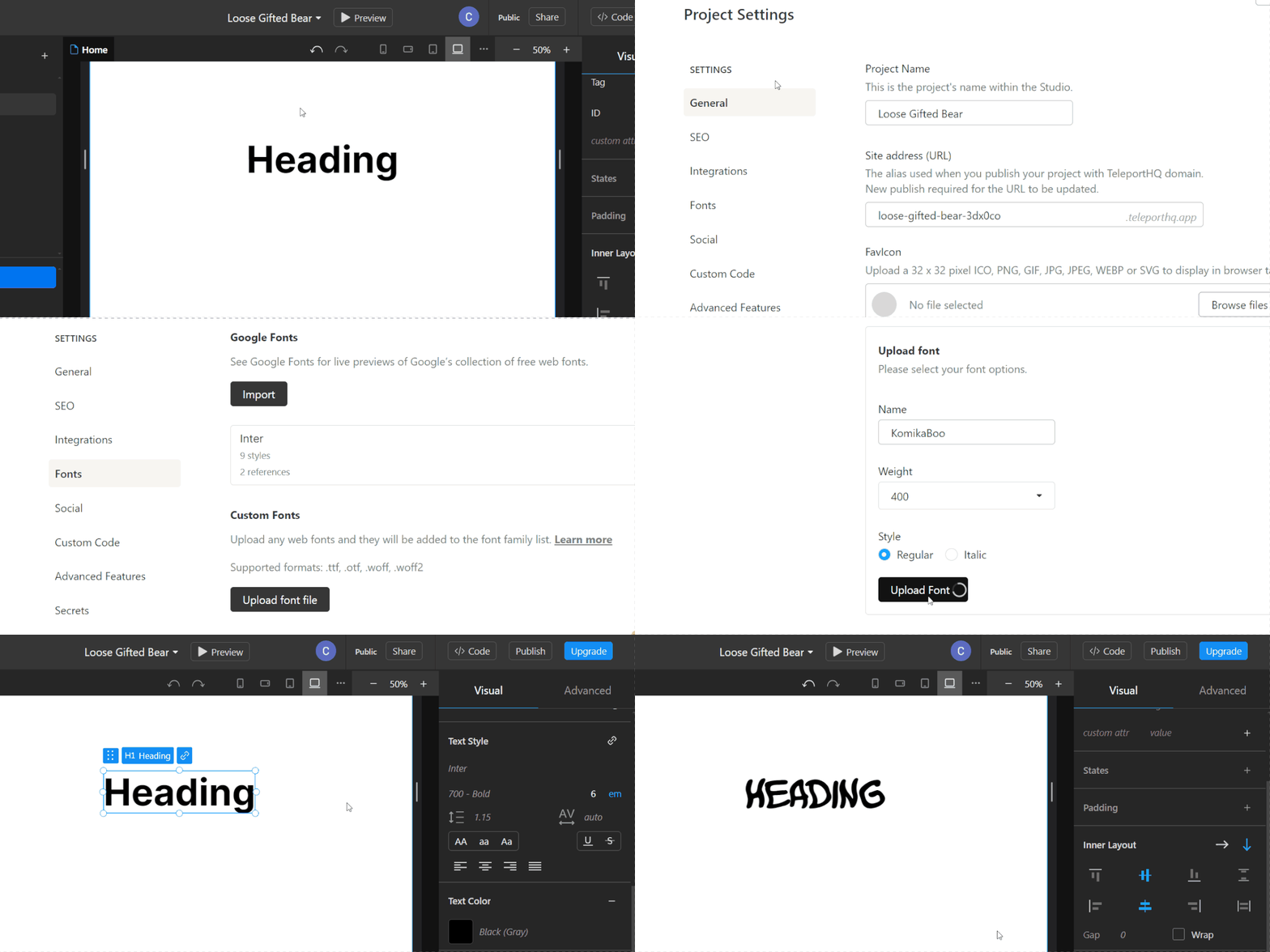
La procedura per aggiungere font personalizzati ai nostri progetti è stata completamente rivista e semplificata.
Per caricare un font personalizzato, vai in Impostazioni progetto, nella scheda Font, e carica un file nella sezione Font personalizzati. I formati supportati sono: .ttf, .otf, .woff, .woff2
UI Update to top bar, export and publish
We made some UI changes to the top bar and moved a few things around.
You can now find the Preview button more to the center of the Top bar, we moved the Privacy settings closer to the Right side of the Top bar and at the edge of the bar we moved the Code and Publish buttons.
When clicking either Code or Publish a new modal will open. This is also where you can find the Download options.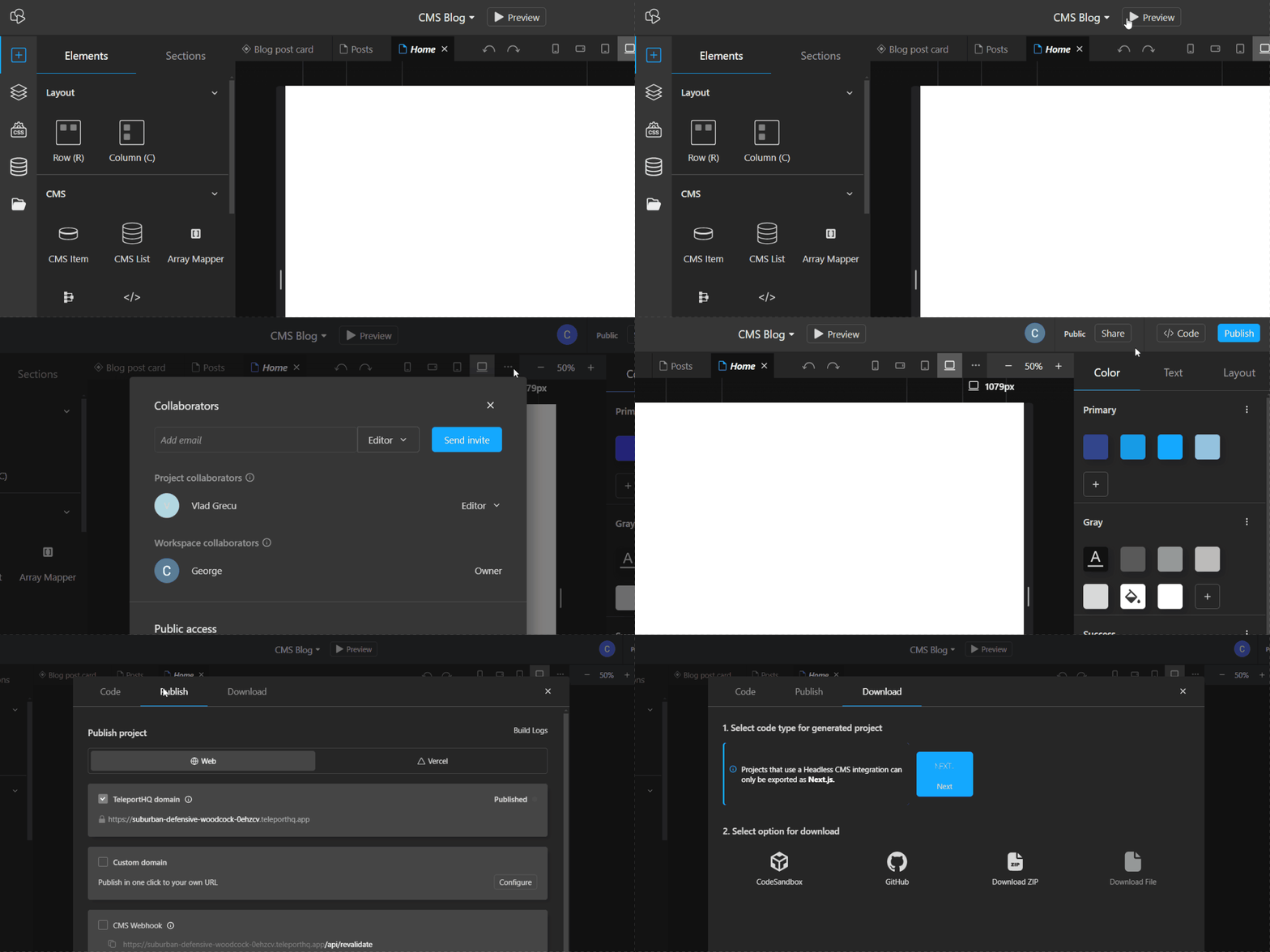
We made some UI changes to the top bar and moved a few things around.
You can now find the Preview button more to the center of the Top bar, we moved the Privacy settings closer to the Right side of the Top bar and at the edge of the bar we moved the Code and Publish buttons.
When clicking either Code or Publish a new modal will open. This is also where you can find the Download options.
Improvements & Fixes
- Added a help tooltip in the CMS tab with info on getting updated data from the CMS
- UI update to the Text style inspector
- La funzionalità delle cartelle private è stata spostata in Funzionalità avanzate nelle impostazioni del progetto
- Miglioramenti significativi all’ottimizzazione delle immagini tramite l’attributo “srcset”
- Miglioramenti della stabilità della connessione socket e della prevenzione della perdita di dati
- Improvements to filters for CMS lists
 Built in TeleportHQ