

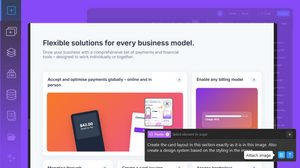
Instead of manually recreating layouts, AI can analyze a screenshot, identify its structure, and generate an editable, responsive starting point that you can customize into your own design.
Every great website starts with inspiration.
Whether you're designing a landing page, SaaS dashboard, portfolio, or ecommerce store, chances are you've saved screenshots of websites you admire. The challenge has never been finding inspiration, it's turning those ideas into an original website without spending hours rebuilding every section from scratch.
Modern AI Design-to-Code tools solve exactly that problem.
Instead of manually recreating layouts, AI can analyze a screenshot, identify its structure, and generate an editable, responsive starting point that you can customize into your own design.
The goal isn't to copy someone else's website. It's to accelerate the creative process by learning from successful layouts while building something uniquely yours.
In this guide, we'll explore how to clone website layouts ethically, how AI simplifies the workflow, and how TeleportHQ helps transform inspiration into production-ready websites.
Why Designers Recreate Website Layouts
Looking at existing websites has always been part of the design process.
Professional designers study other websites to understand: visual hierarchy, content structure, navigation patterns, spacing, typography, user flows, calls-to-action or conversion strategies.
Just as architects study buildings and writers study books, web designers learn by analyzing successful examples.
The difference is that today's AI tools can dramatically reduce the time needed to rebuild those structures from scratch.
Inspiration vs. Copying: Understanding the Difference
One of the biggest misconceptions about AI-generated websites is that they encourage copying.
In reality, professional workflows focus on recreating layouts, not reproducing entire websites.
A layout consists of structural decisions such as section order, grid systems, spacing, content hierarchy or component placement.
Those ideas can inspire your work without copying branding, logos, images, copywriting, icons, illustrations and proprietary graphics.
Think of AI as helping you build a new house using the blueprint of good design principles, not duplicating someone else's home.
Why AI Makes Website Recreation Faster
Before AI, recreating a landing page involved hours of manual work.
Designers or developers had to measure spacing, count columns, rebuild grids, recreate cards, match typography and test responsiveness.
Today, AI performs much of that initial analysis automatically.
Instead of rebuilding every section manually, you receive a responsive foundation that you can immediately begin improving.
What AI Actually Detects
Modern Design-to-Code systems don't simply analyze pixels, they recognize interface patterns.
Examples include hero sections, navigation bars, feature grids, pricing tables, testimonials, FAQs, forms, footers, cards, buttons, images, typography hierarchy.
These become editable components instead of static graphics.
A Better Workflow for Website Inspiration
Instead of copying an existing website, use this workflow.
Step 1: Collect Inspiration
Save screenshots of websites you like.
Pay attention to layout, section order, navigation, visual rhythm and white space. Avoid focusing on branding, you can change that manually later.
Step 2: Upload the Reference
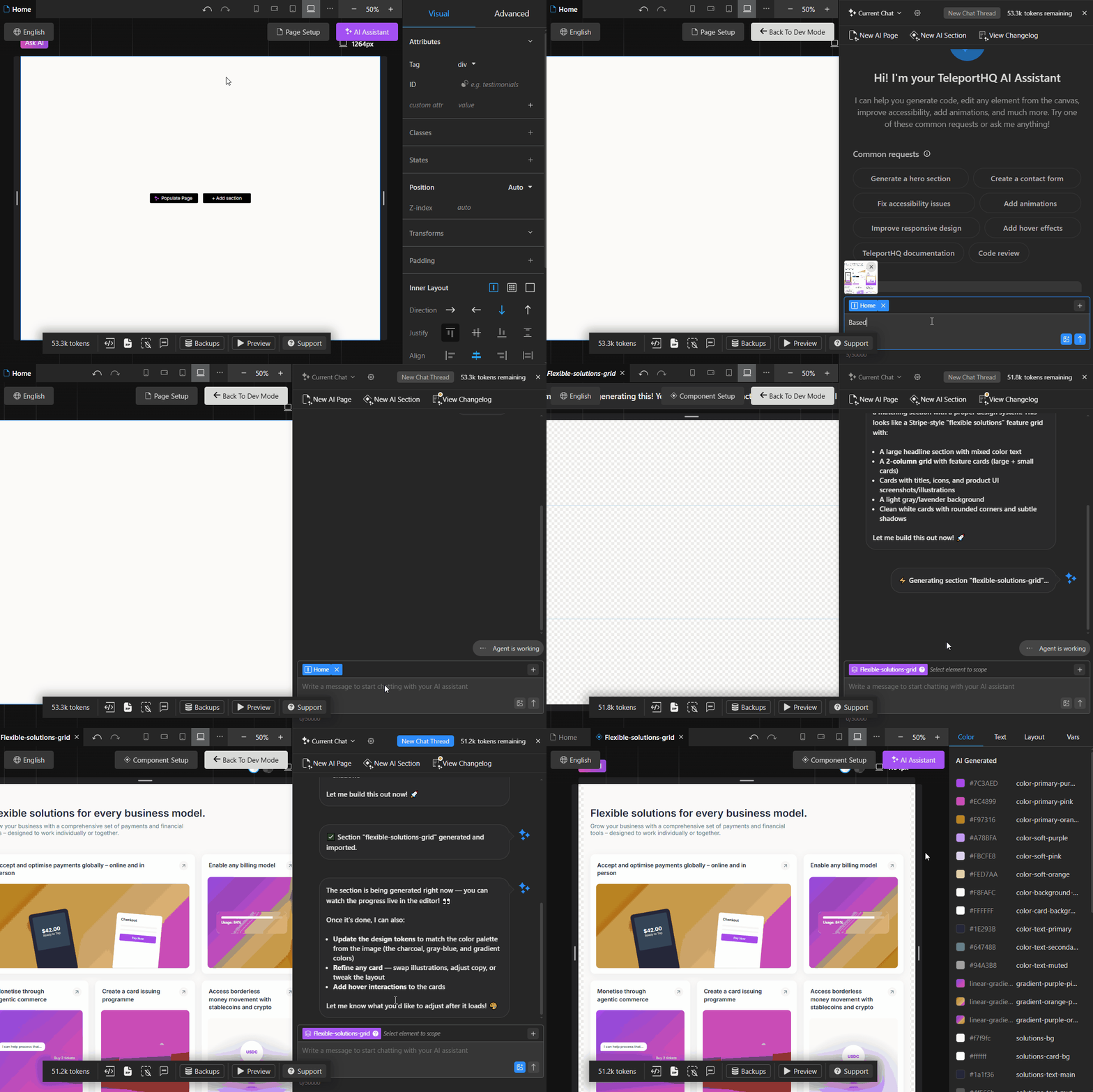
Use TeleportHQ's Design-to-Code functionality built into the AI Assistant to upload your screenshot.
The AI then analyzes the structure and generates an editable layout that captures the overall organization, not a pixel-perfect duplicate.
The AI Assistant will also create CSS classes and tokens that will be used later on in the website to have a consistent design.
Step 3: Make It Your Own
Replace colors, fonts, icons, images. content and branding elements (logos), and rearrange sections and introduce your own visual identity.
This is where the project becomes uniquely yours.
Step 4: Improve the UX
Take advantage of the editable layout to enhance accessibility, mobile responsiveness. performance, navigation, content hierarchy and calls-to-action.
AI provides the foundation. You create the experience.
Design to Code with TeleportHQ
TeleportHQ helps designers, developers, agencies, and marketers move from inspiration to implementation much faster.
Upload screenshots or images of a website, UI component, or landing page and let AI generate a responsive, editable layout complete with CSS classes, reusable tokens and more.
Once the layout has been generated, you can:
- Edit every section visually
- Generate additional layouts with AI
- Replace content
- Rearrange components
- Expand the page into a complete website
- Continue refining the design using natural language prompts
Rather than rebuilding websites from scratch, TeleportHQ helps you start with a flexible foundation that you can customize into something original.
Explore the Design to Code feature and see how it works.
Common Mistakes to Avoid
Copying Brand Assets. Never reuse logos, illustrations, product photography, or copyrighted graphics.
Keeping the Same Content. Replace all headings, body copy, testimonials, and CTAs with original content.
Ignoring Mobile Design. Always review tablet and mobile layouts after generating a page.
Treating AI as the Final Step. AI creates an excellent starting point but great websites still require thoughtful editing, optimization, and refinement.
Who Benefits Most from AI Website Recreation?
Agencies. Produce client concepts much faster.
Freelancers. Reduce production time without sacrificing quality.
SaaS Companies. Prototype landing pages and product marketing sites quickly.
Marketing Teams. Launch campaigns faster with editable website layouts.
Developers. Spend less time recreating interfaces and more time building functionality.
Frequently Asked Questions
Is it legal to recreate a website layout?
General layout ideas and common interface patterns are widely used across the web. However, you should avoid copying copyrighted content such as logos, images, written copy, custom illustrations, or distinctive brand assets. The goal is to use layouts as inspiration while creating an original website.
Does AI copy the website's code?
No. Design-to-Code tools analyze the visual structure of an image and generate a new editable layout. They do not extract or duplicate the original website's source code.
Can I edit everything after generating the layout?
Yes. Every generated layout can be customized by changing colors, typography, spacing, components, images, and content to match your own brand and project goals.
Can I use screenshots from competitors for inspiration?
Many designers study competitor websites to understand user experience, navigation, and layout patterns. It's good practice to replace all branding, visuals, and written content with original assets before publishing.
What types of websites can I recreate?
AI works well with landing pages, SaaS websites, ecommerce stores, dashboards, portfolios, blogs, documentation sites, and many other interface-driven designs.
The Smart Way to Learn from Great Websites
The best designers don't start every project from a blank canvas, they study what already works.
AI makes that process dramatically faster by transforming screenshots into editable website layouts that you can customize, improve, and make your own.
Instead of spending hours rebuilding common UI patterns, you can focus on what truly differentiates your website: your content, your branding, your user experience, and your product.
TeleportHQ's Design-to-Code functionality helps you move from inspiration to implementation in minutes, giving you a responsive foundation that's ready to evolve into an original website.